 Luke Ferguson
February 2026
We’re excited to share this month’s updates, focused on helping HR and People teams boost engagement, reduce manual work, and get clearer insight from surveys.
Follow Ups
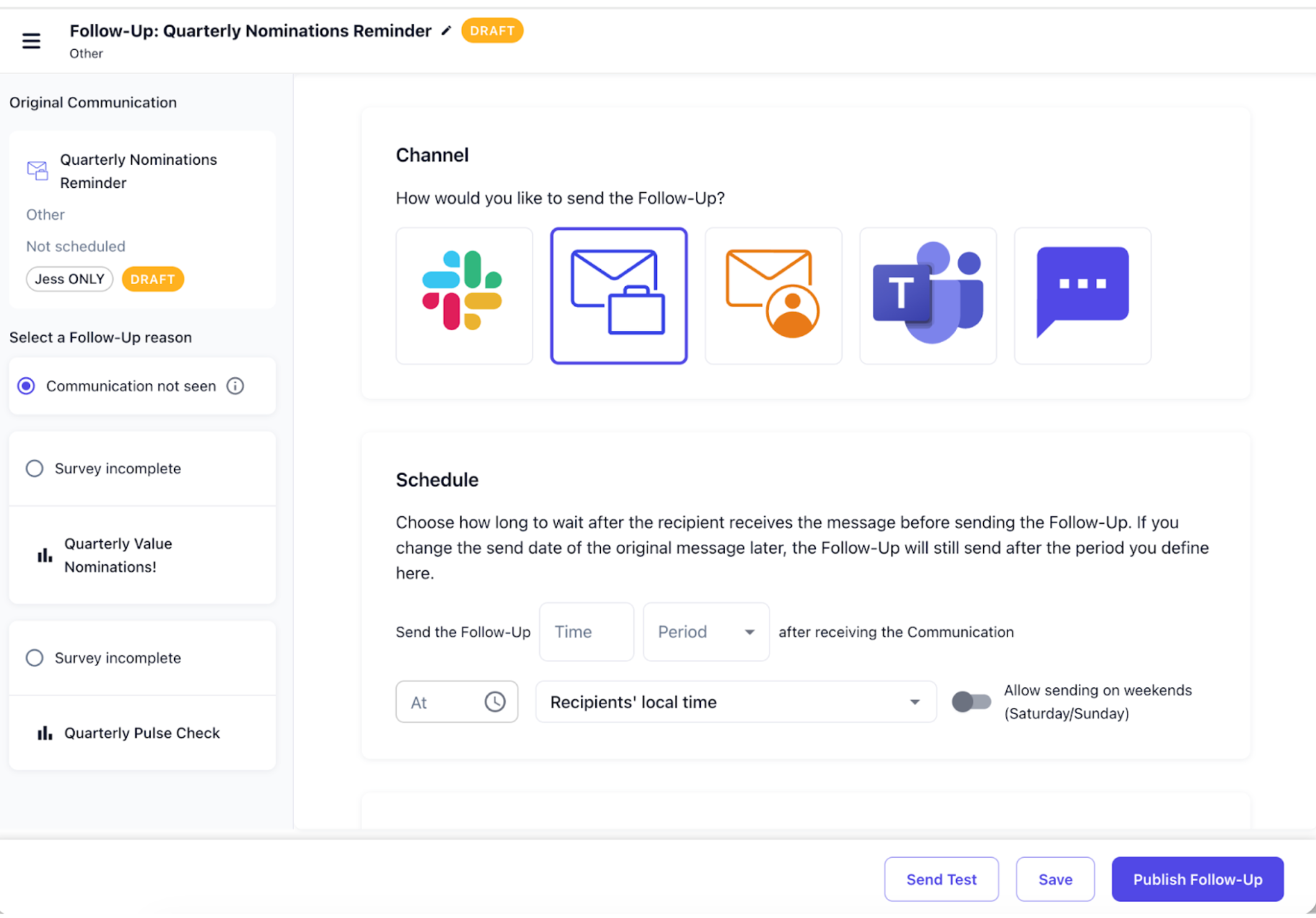
Following up with non-responders just got a whole lot easier. You can now create Follow Ups to automatically target people who didn’t engage with a communication or did not complete a survey, without exporting lists or building new segments manually.
Follow ups can be created reactively after a communication has been sent, or proactively by scheduling them to send X days or weeks after the original communication. You can also send the follow up via a different channel, such as sending the original communication via email and following up via Slack or Teams.
Check out this video from our Product Manager, Luke, where he explains how to create Follow Ups and get the best from them!
Follow Ups are available for early access - this means some minor things might not work as expected, but you’ll get the opportunity to help shape how the feature works. If you’re ready to try it, talk to your CSM to get it enabled in your account!
Newsletter editor improvements
If newsletters are your primary way of communicating with employees, this update is for you. We’ve made the newsletter editor significantly more powerful and flexible, so you can create richer communications faster, reuse existing assets, and personalize content without creating multiple versions.
You can now:
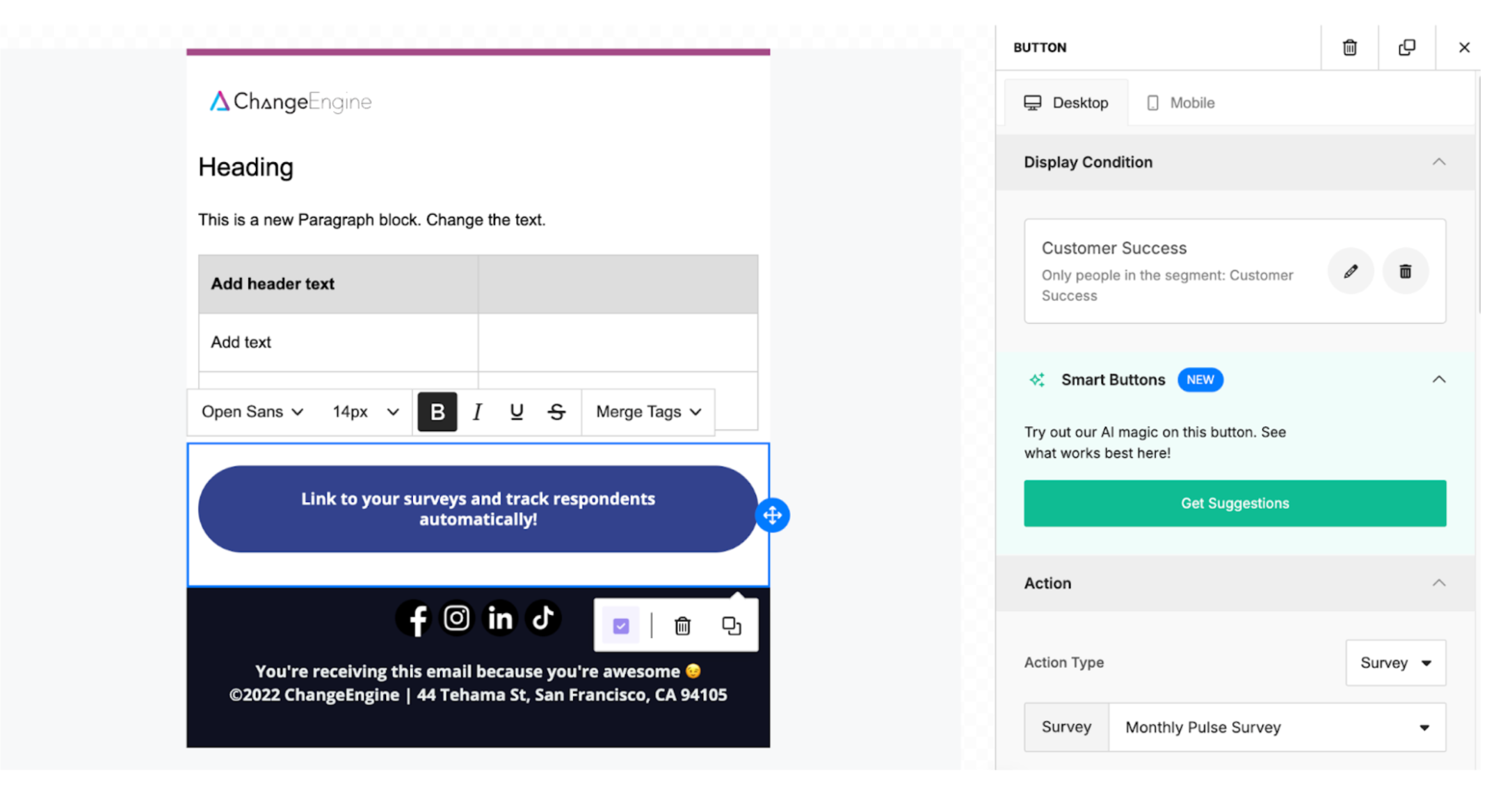
Add survey links using button blocks, making it easier for employees to take action directly from the newsletter
Insert images directly from the Content Library, so you can reuse approved assets without leaving the editor.
Apply display conditions at the block level, which lets you show specific sections of a newsletter only to the segments you choose.
Add Social Media links so your employees can easily find your organization's online presence.
Survey Response Groups
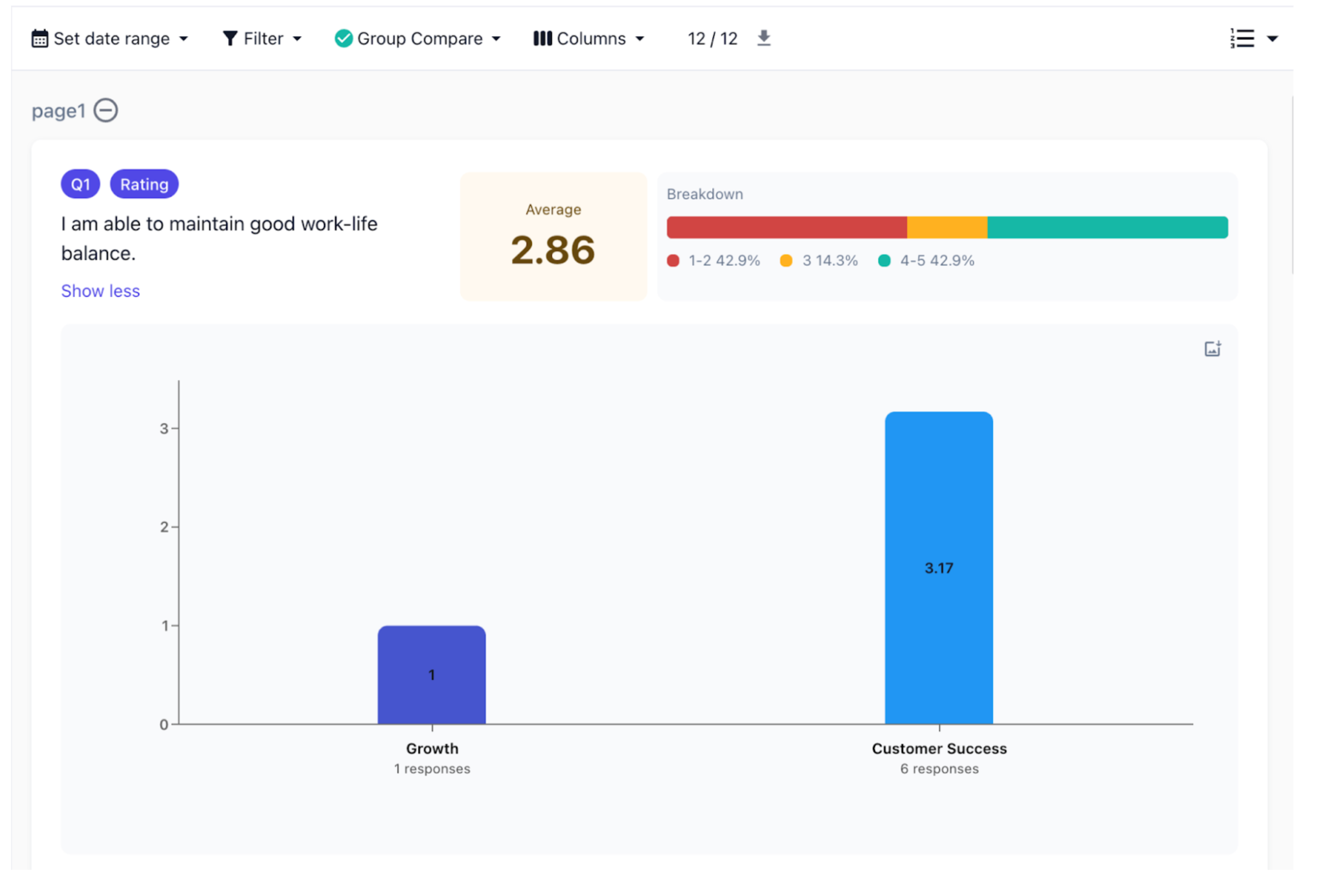
Ever wonder whether a specific department, location, or employee group is driving your survey results? Overall scores are useful, but they can hide important differences across the organization.
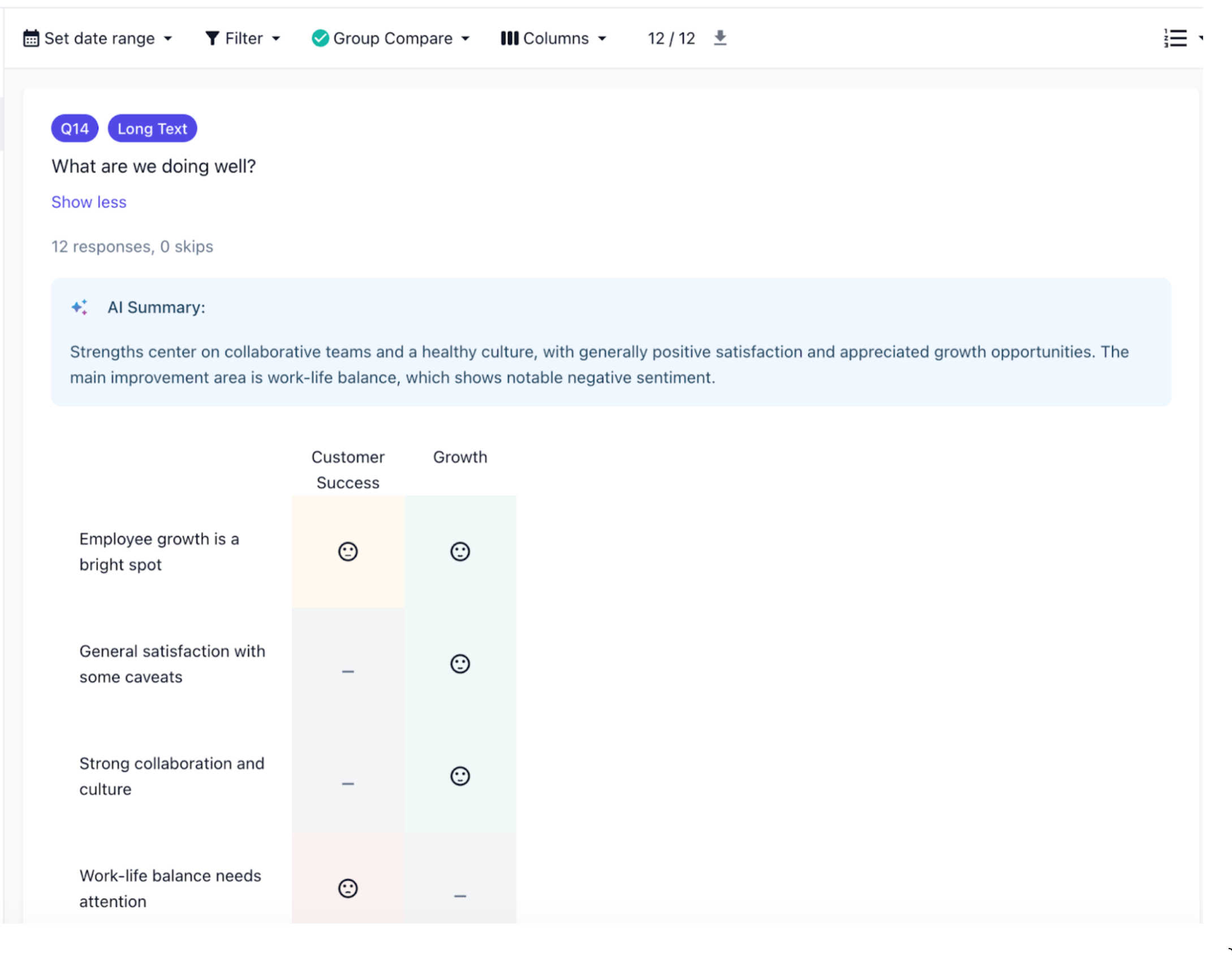
That’s why we built Survey Response Groups. You can now break down survey responses into meaningful groups and compare results side-by-side, so you can quickly spot patterns and understand what’s really happening across different teams. Groups are created using filters based on any fields already synced from your HRIS, and you can compare multiple groups at once. This works across all surveys.
Keep in mind, if employees complete a survey via a generic link or QR code, they may be excluded from groups unless you add identifier questions so respondents can provide their details.
Content Library Folders
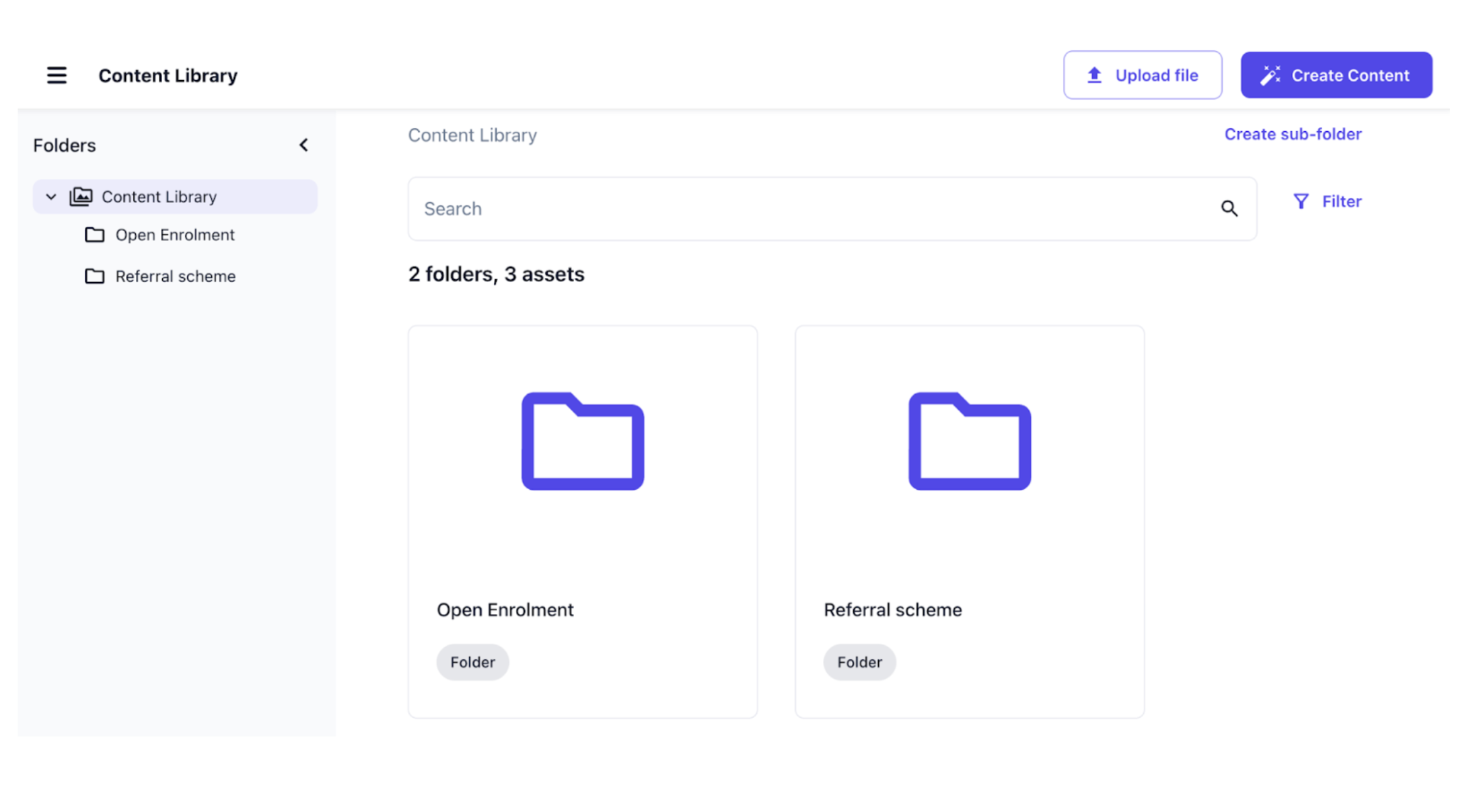
Your Content Library just got a big usability upgrade. You can now use folders to organize images and AI-generated content, so everything stays clean and easy to find as your library grows. The Content Library now includes a folder navigation sidebar, making it simple to browse and manage content.
At this time, folders are for organization only. There are no permissions or role-based access controls available yet, which means all content remains visible to everyone who has access to the Content Library, regardless of how it’s organized. Support for permissions is on our roadmap.
Easily add tabular data to your communications
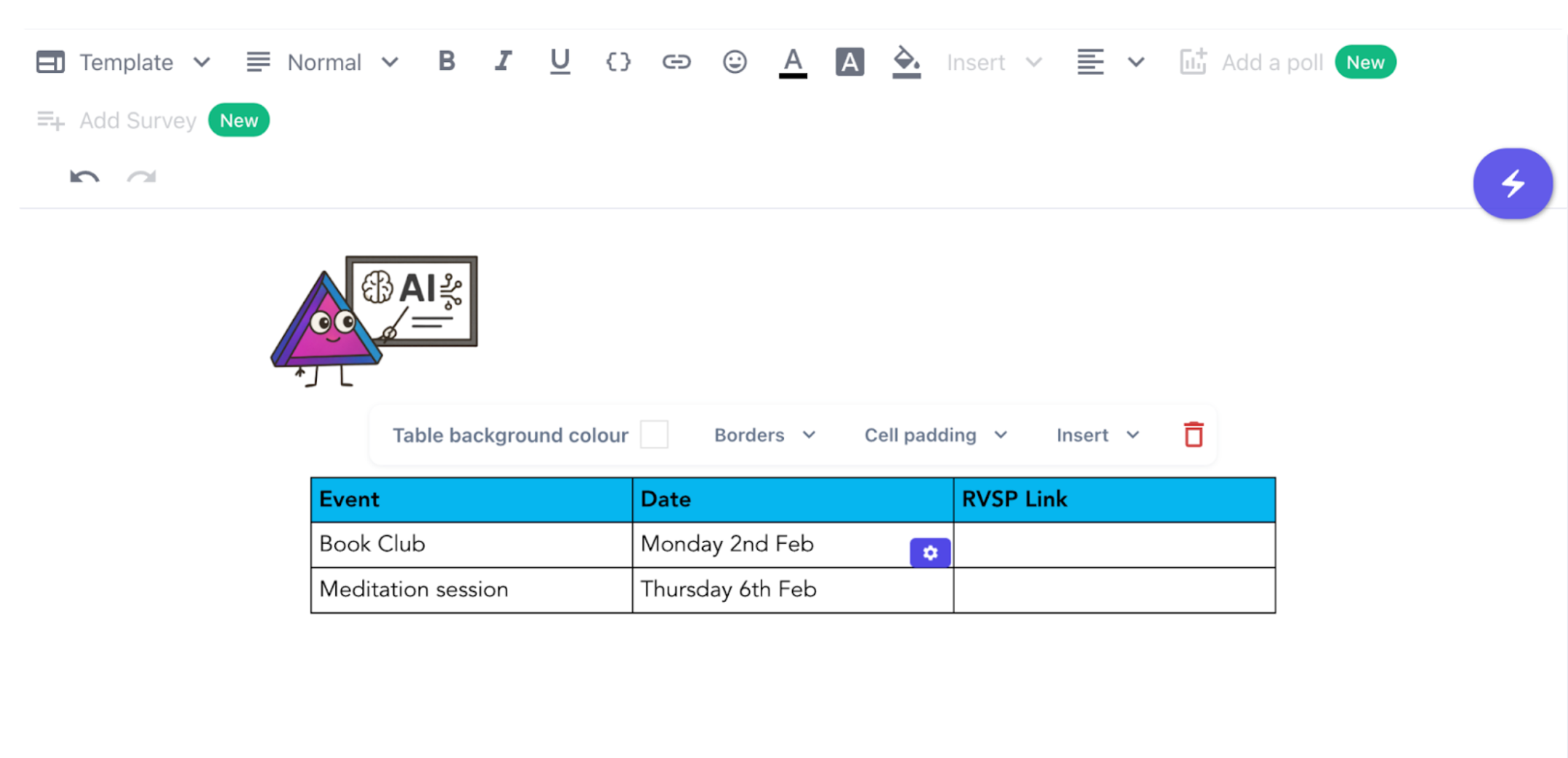
You can now add tables in both the communications editor and the newsletter editor. This makes it easier to share structured information clearly and professionally.
More relevant images for your content
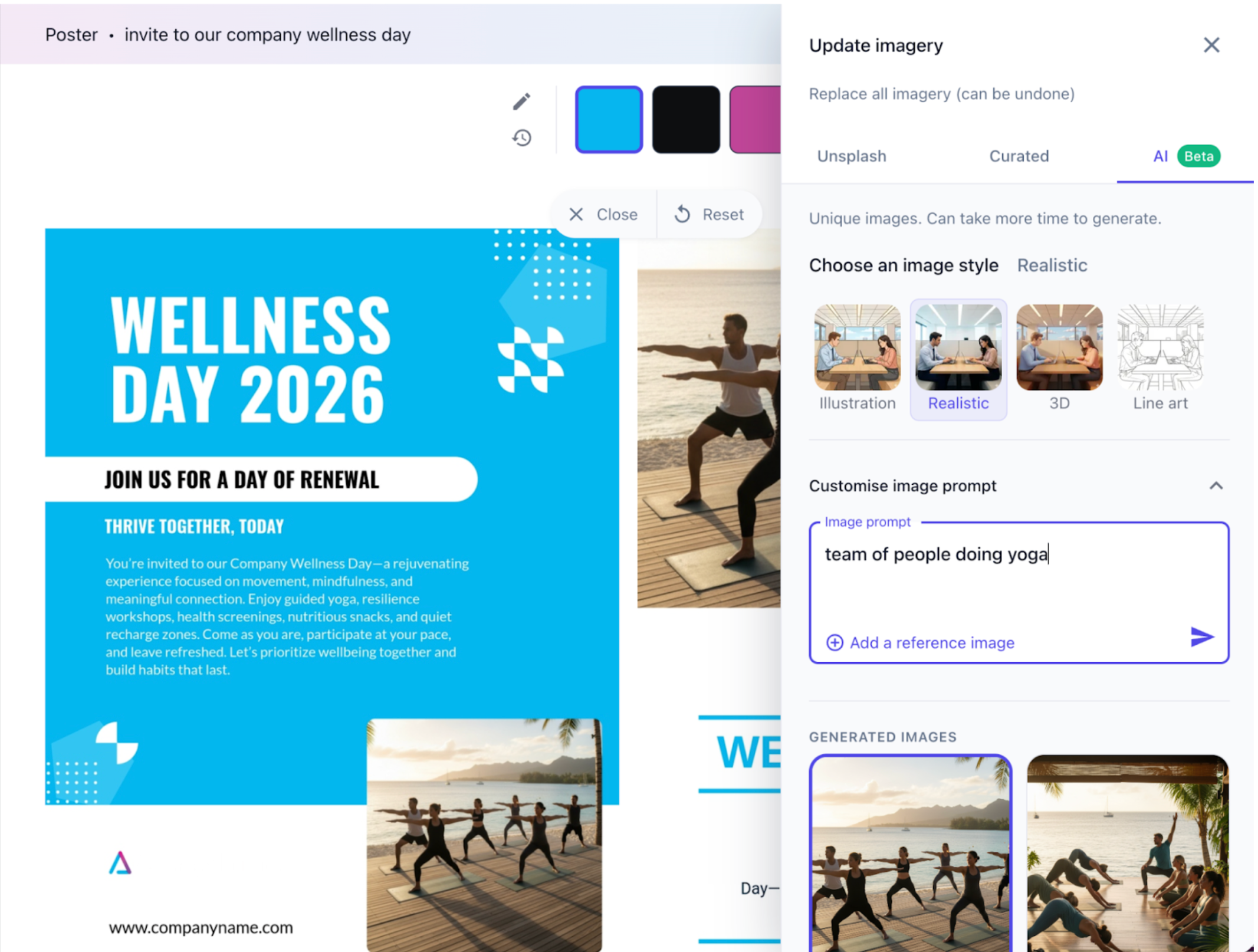
When creating content, you can now use AI to generate custom images to give your content a unique touch.
You can pick from different styles and prompt the AI with instructions to create exactly what you need. Just select the new Update imagery button when creating a new piece of content to access it!