 Luke Ferguson
November 2026
Say hello to your new home page, designed to drop you straight back into your work — plus Survey Response Notifications to forward survey responses automatically and matrix and ranking survey questions.
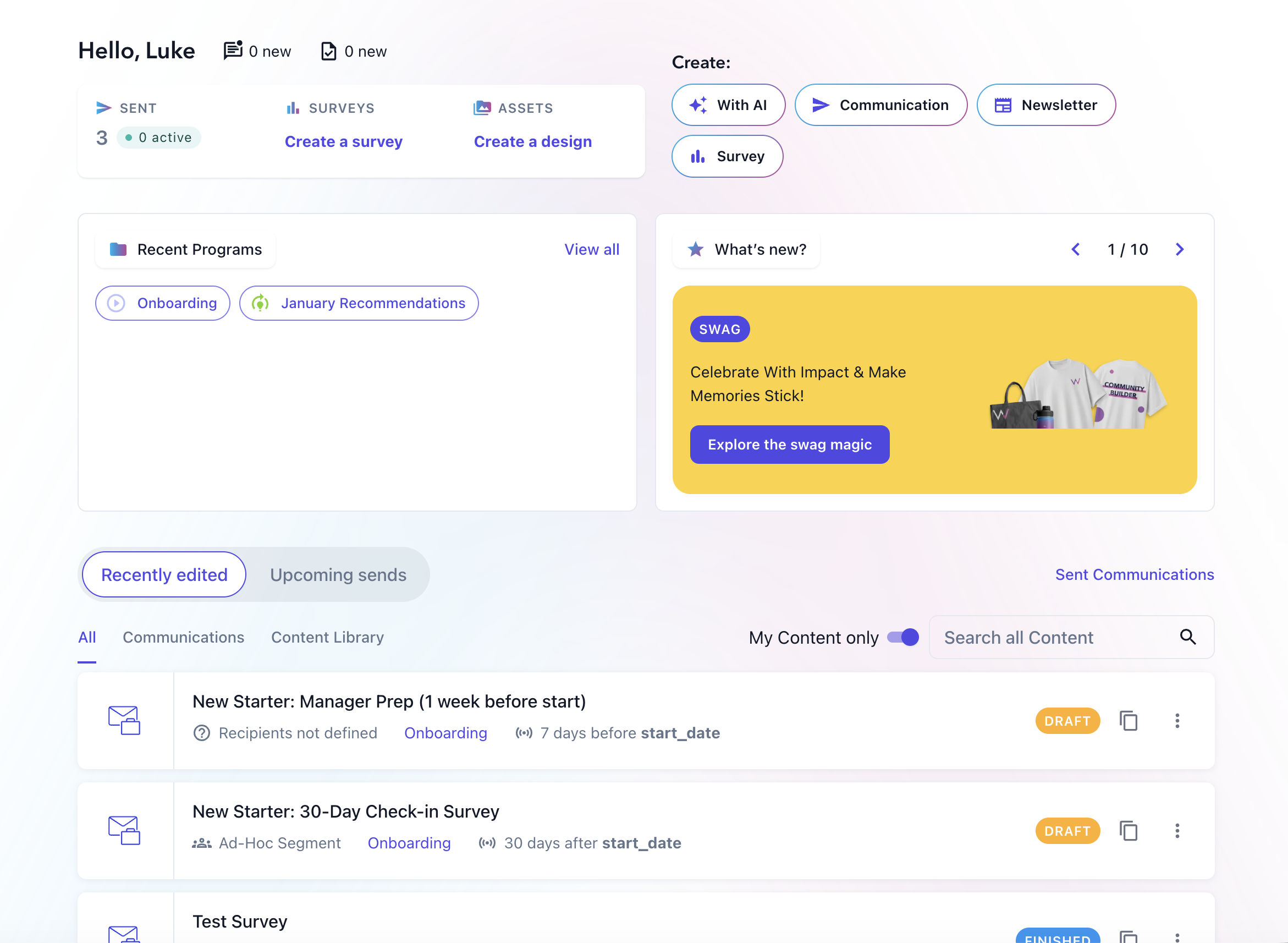
Say hello to your new home page!
This month, we'll be rolling out a new home page. It has been rebuilt from the ground up with the goal of getting you back into your work in a single click. The new Recently edited feed shows communications, surveys and visual assets you've been working on up front and centre on the page. Yesterday’s half-finished draft is waiting for you, not buried somewhere. Your most recent programs sit alongside it too so you can easily find the communications you're working on.
You'll also find things that require your attention right at the top: new insights, new messages (if have two-way SMS enabled) and soon, any communications that you've been asked to review (more on that next month!).
Stay on top of survey responses with Survey Response Notifications
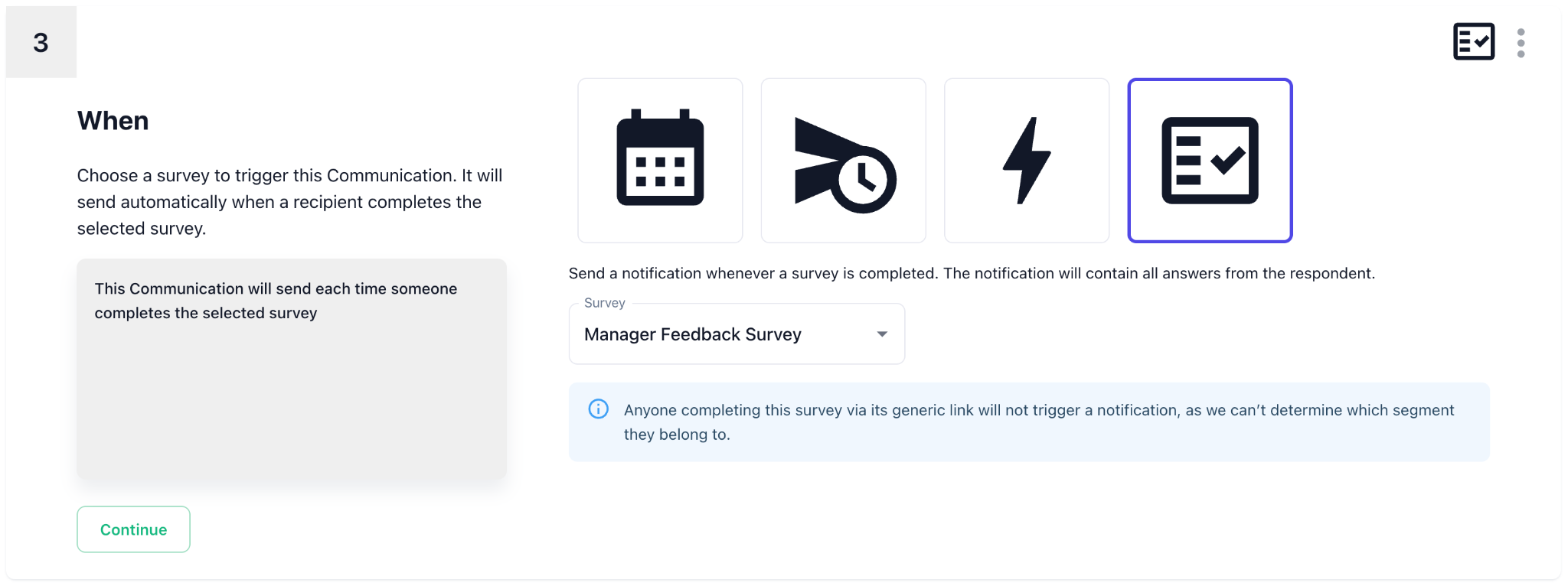
You can now automatically send a communication when someone submits a survey response. Survey Response Notifications can include the submitted answers and notify the right stakeholder, helping HR teams act quickly without manually checking results, exporting responses, or sending separate updates.
Notifications can be sent immediately or after a delay, and you can target the right person or group using your existing employee data and connections.
You can easily create a new Survey Response Notification from the survey page itself:
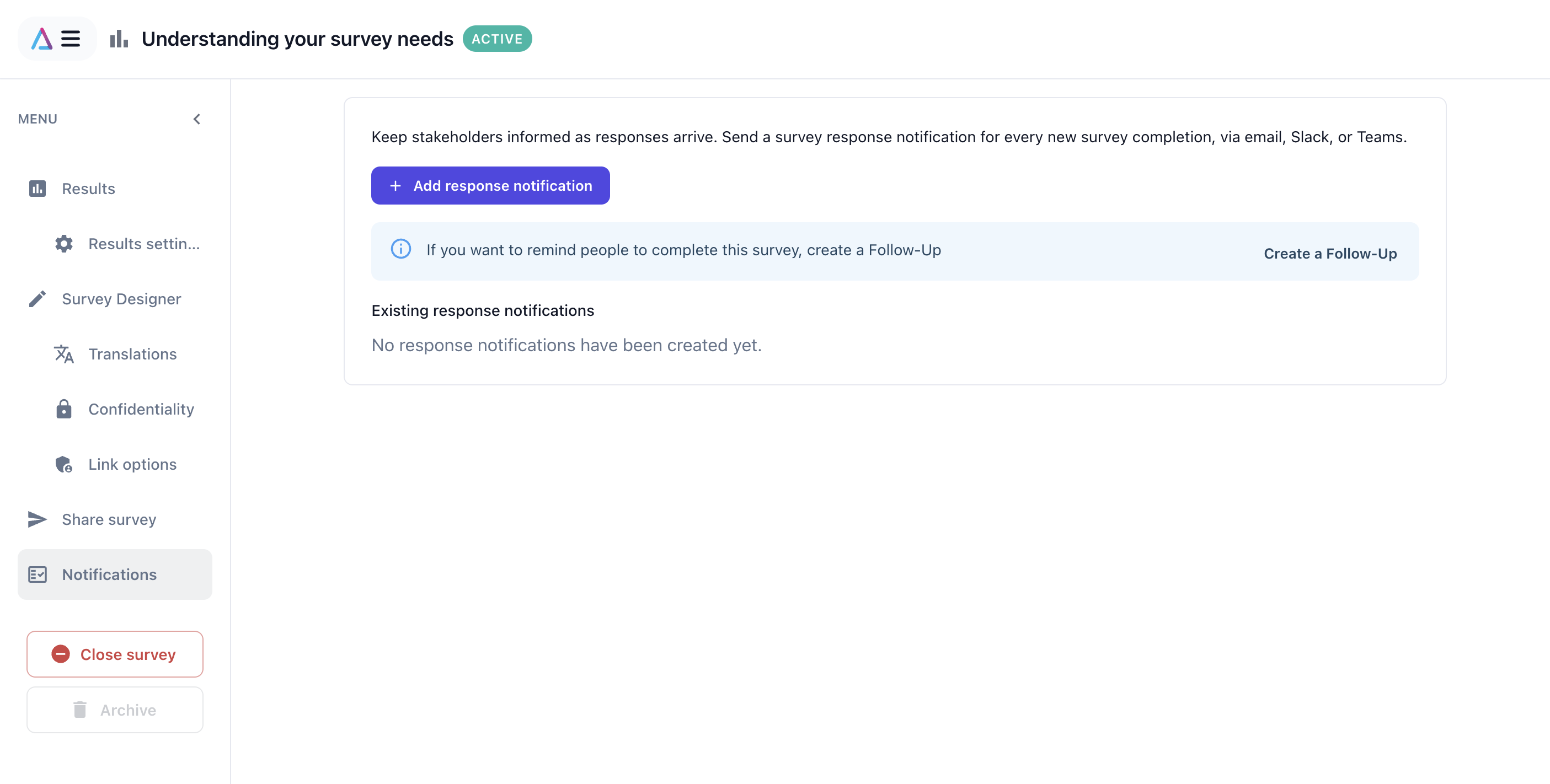
Just select Notifications -> Add response notification to launch a wizard that can help you set them up.
Add matrix and ranking questions to your surveys
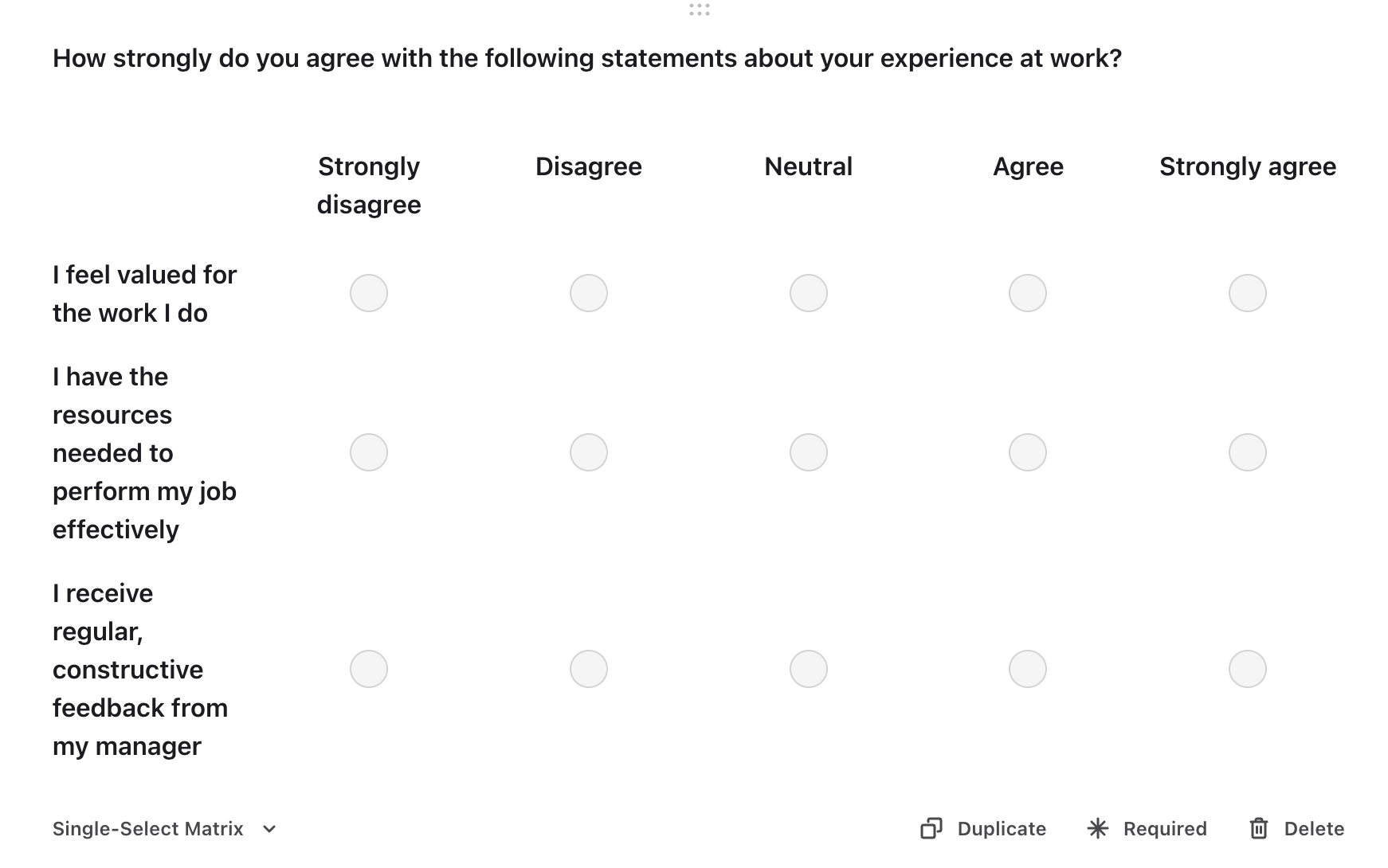
Matrix and ranking questions are now available for your surveys, each with dedicated results built for the job. Matrix questions let you rate several statements on the same scale in one go — handy for engagement or pulse surveys asking people to score statements like “I trust my manager,” “I have the tools I need to do my job well,” and “I understand how my work contributes to our goals” all in a single grid. Results summarize every statement at a glance, with an optional score, and you can drill into a detailed breakdown of responses for any one of them.
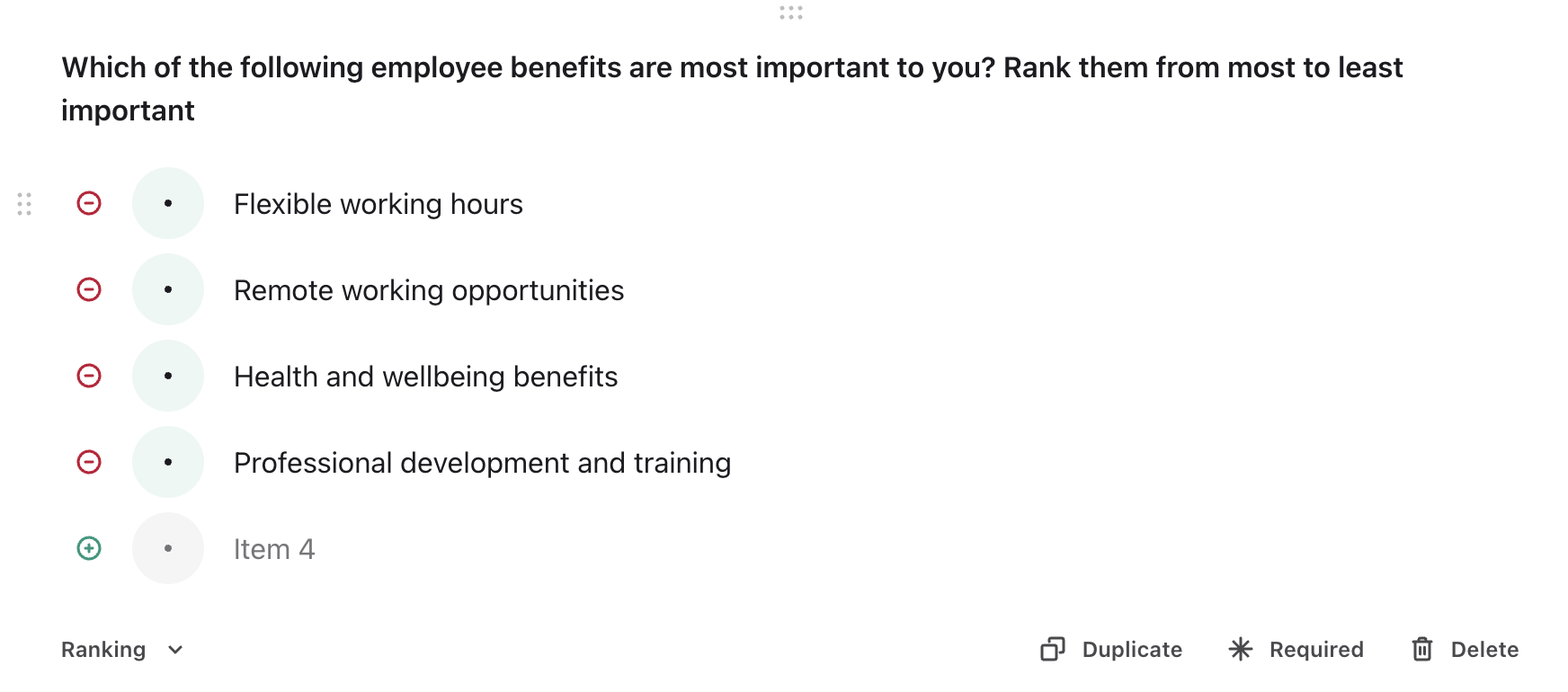
Ranking questions are built for when you need people to prioritize rather than just rate — for example, asking employees to rank which benefits matter most to them (healthcare, flexible hours, a learning budget, remote work), which onboarding resources were most useful in their first month, or what they’d change first about company culture. Ranking results get a top-ranked summary showing each item’s average rank, alongside grid and chart views that break down exactly how respondents ranked each item. Both question types support compare mode, so you can see how different teams, locations, or tenure groups answered side by side.
Open items in a new tab
We've made navigating the app a little easier and more consistent! You can now right-click, middle-click or Cmd/Ctrl-click on communications, surveys, design assets and programs to open them in a new tab.
This makes it easier to explore and compare items without losing your place, filters or current view.