What's new

Product releases from the ChangeEngine team. New features, improvements and fixes, newest first.

Clear filters
NewPhoto of Luke FergusonLuke Ferguson

November 2026

Say hello to your new home page, designed to drop you straight back into your work — plus Survey Response Notifications to forward survey responses automatically and matrix and ranking survey questions.

CommunicationsListenAnalytics

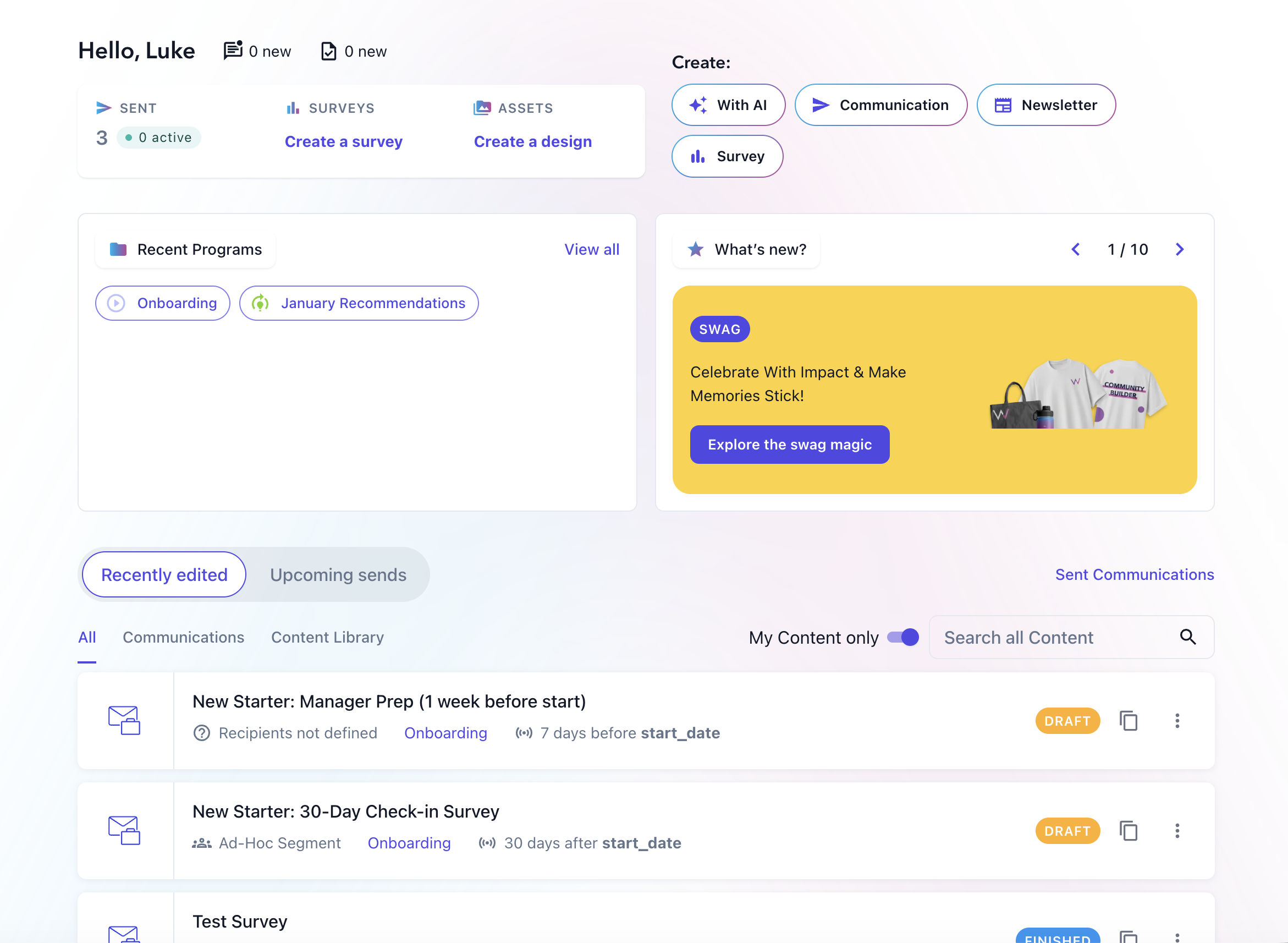
Say hello to your new home page!

This month, we'll be rolling out a new home page. It has been rebuilt from the ground up with the goal of getting you back into your work in a single click. The new Recently edited feed shows communications, surveys and visual assets you've been working on up front and centre on the page. Yesterday’s half-finished draft is waiting for you, not buried somewhere. Your most recent programs sit alongside it too so you can easily find the communications you're working on.

You'll also find things that require your attention right at the top: new insights, new messages (if have two-way SMS enabled) and soon, any communications that you've been asked to review (more on that next month!).
Stay on top of survey responses with Survey Response Notifications

You can now automatically send a communication when someone submits a survey response. Survey Response Notifications can include the submitted answers and notify the right stakeholder, helping HR teams act quickly without manually checking results, exporting responses, or sending separate updates.

Notifications can be sent immediately or after a delay, and you can target the right person or group using your existing employee data and connections.
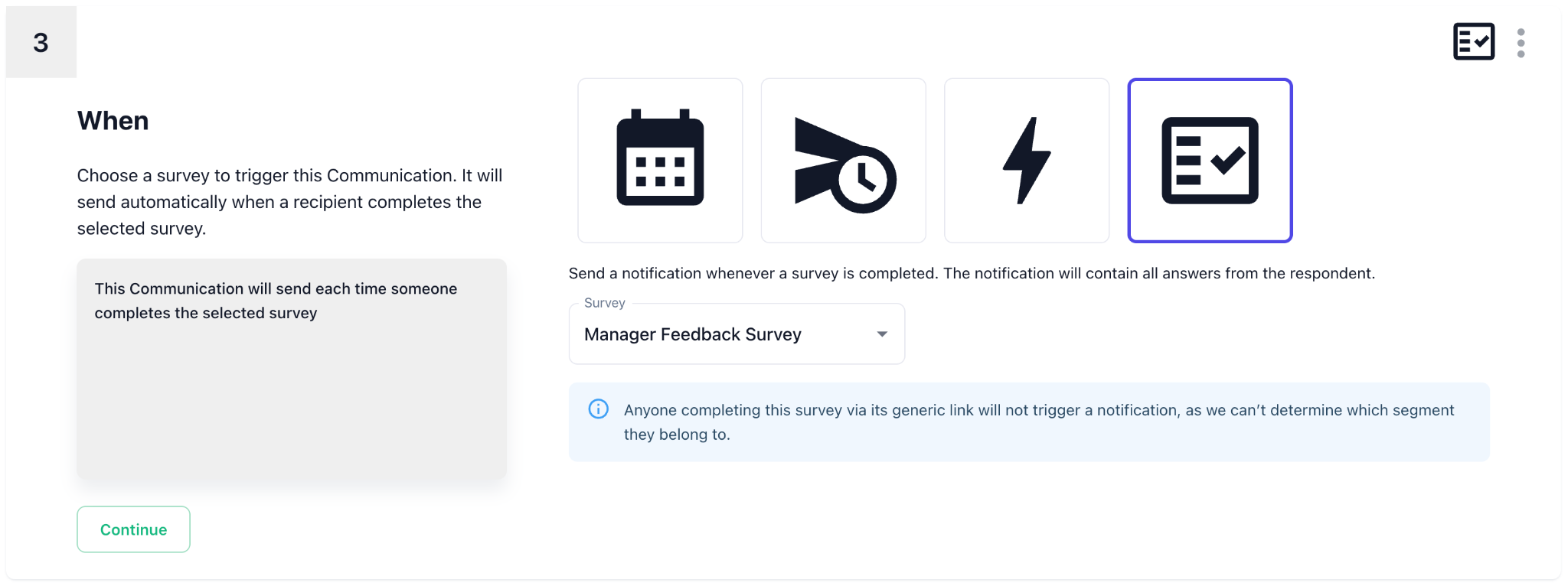
You can easily create a new Survey Response Notification from the survey page itself:
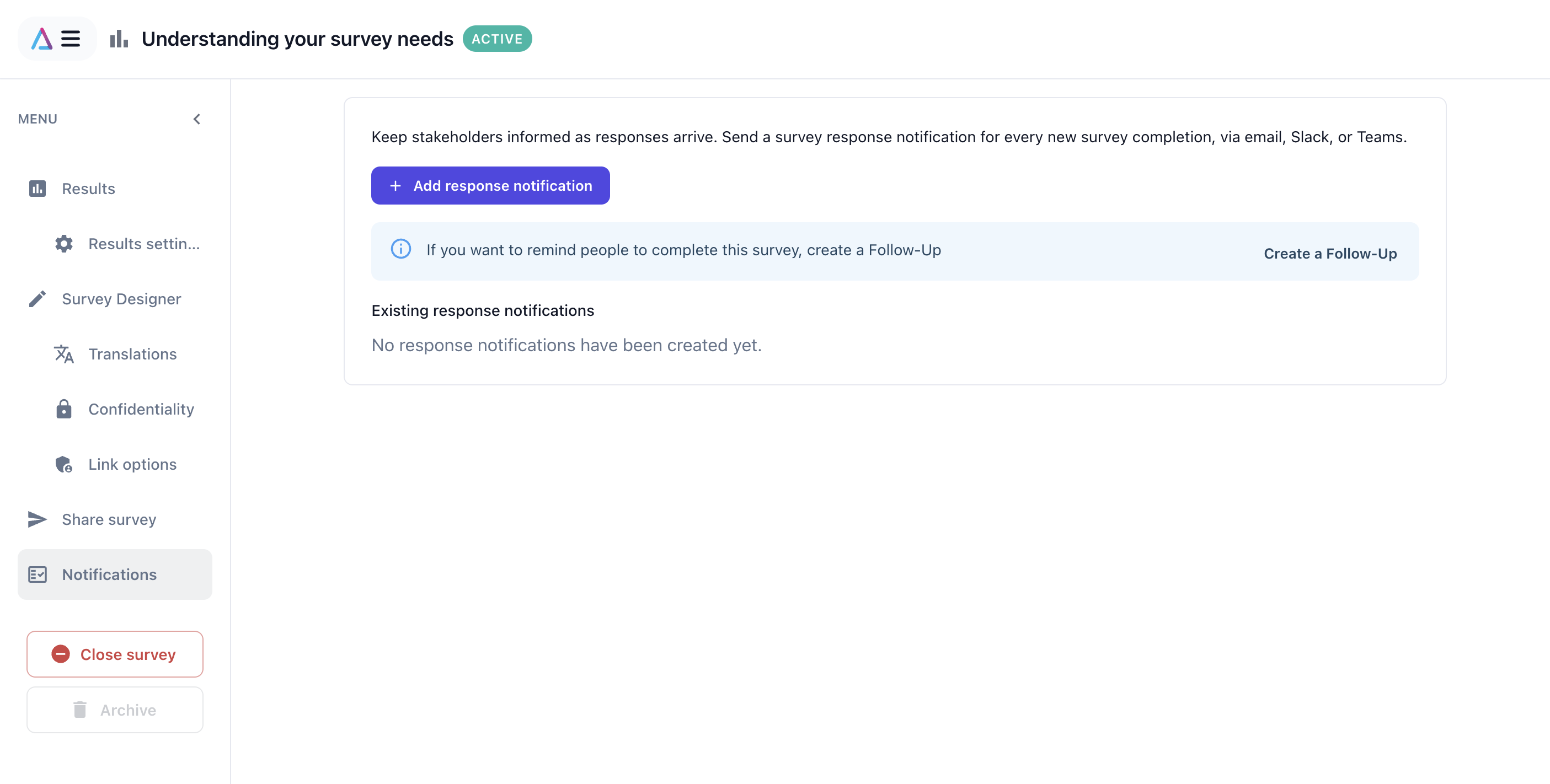
Just select Notifications -> Add response notification to launch a wizard that can help you set them up.

Add matrix and ranking questions to your surveys

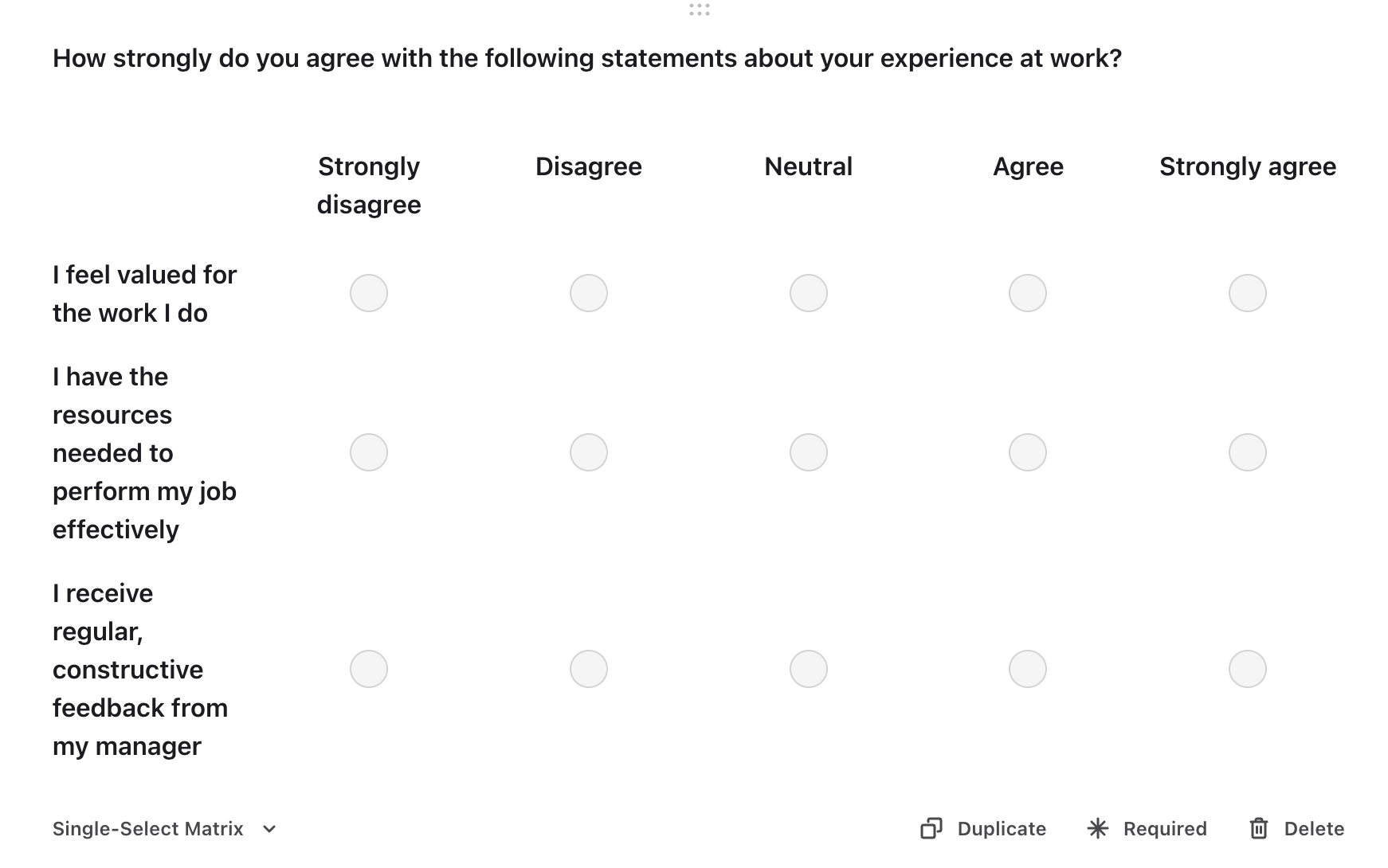
Matrix and ranking questions are now available for your surveys, each with dedicated results built for the job. Matrix questions let you rate several statements on the same scale in one go — handy for engagement or pulse surveys asking people to score statements like “I trust my manager,” “I have the tools I need to do my job well,” and “I understand how my work contributes to our goals” all in a single grid. Results summarize every statement at a glance, with an optional score, and you can drill into a detailed breakdown of responses for any one of them.
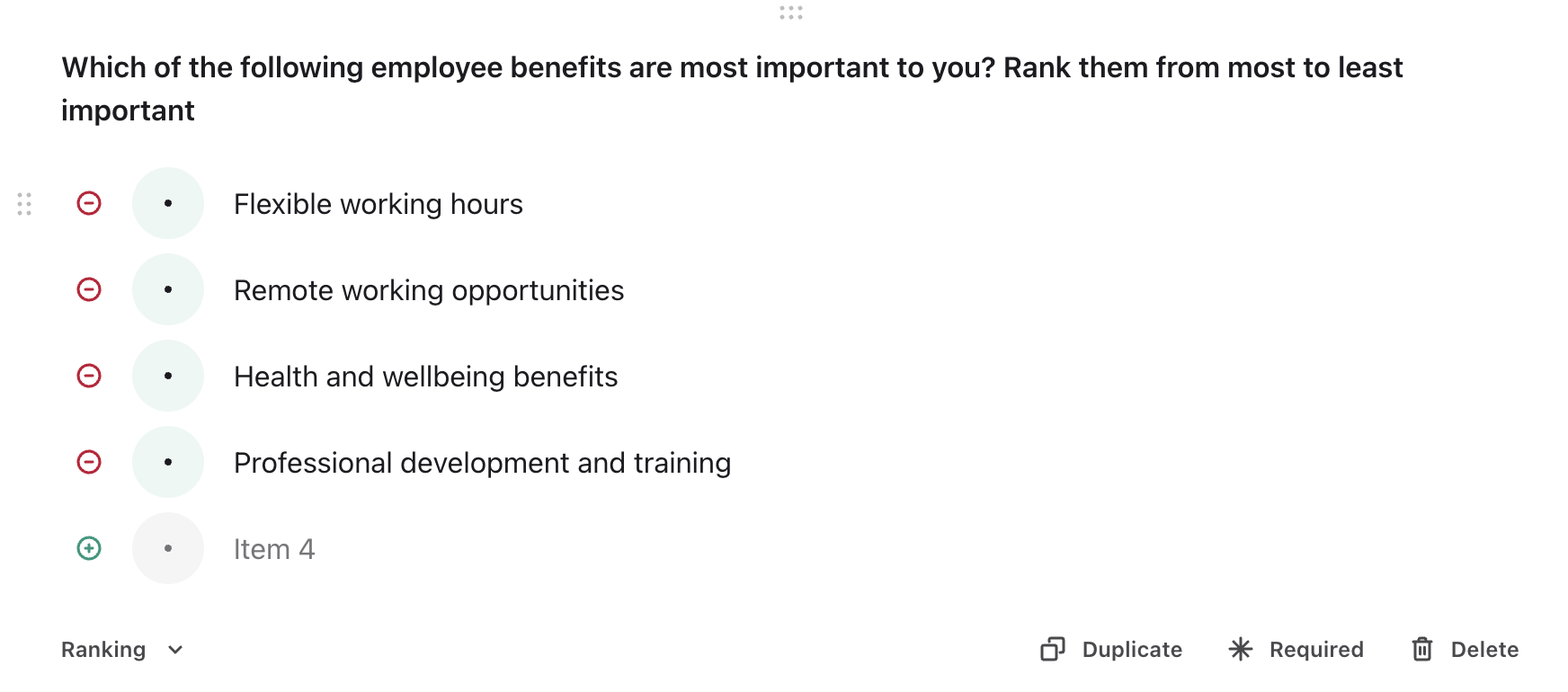
Ranking questions are built for when you need people to prioritize rather than just rate — for example, asking employees to rank which benefits matter most to them (healthcare, flexible hours, a learning budget, remote work), which onboarding resources were most useful in their first month, or what they’d change first about company culture. Ranking results get a top-ranked summary showing each item’s average rank, alongside grid and chart views that break down exactly how respondents ranked each item. Both question types support compare mode, so you can see how different teams, locations, or tenure groups answered side by side.
Open items in a new tab

We've made navigating the app a little easier and more consistent! You can now right-click, middle-click or Cmd/Ctrl-click on communications, surveys, design assets and programs to open them in a new tab.

This makes it easier to explore and compare items without losing your place, filters or current view.
Open this note on its own page
NewPhoto of Luke FergusonLuke Ferguson

October 2026

The October Product Update is here 🎉 Discover engagement trends faster and reach employees in new ways with WhatsApp, polls, and AI-powered subject lines.

CommunicationsListenAnalytics

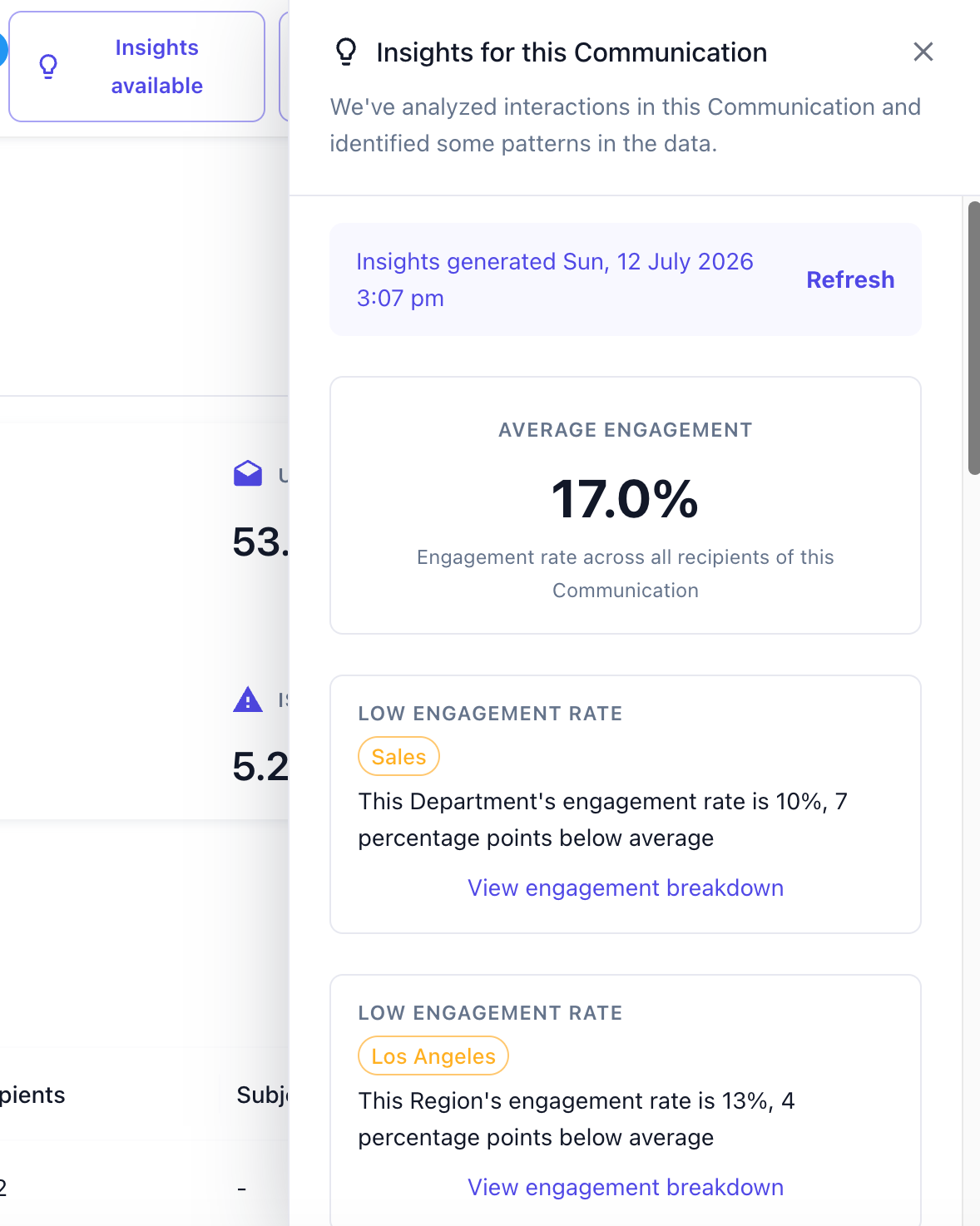
Discover which employee groups are engaging most with your communications

Knowing your overall engagement rate is useful, but it doesn't tell the whole story. Which departments consistently engage with your communications? Are new starters reading your updates? Is one location falling behind?

AI Insights answers these questions automatically by analysing engagement across your HRIS data. It identifies employee groups with significantly higher or lower engagement, helping you quickly uncover what's working and where extra attention may be needed.

Insights are generated automatically across fields like department, location, tenure, manager status, and any other employee data synced from your HRIS, so you can spend less time analysing reports and more time taking action.


Explore engagement across your organization

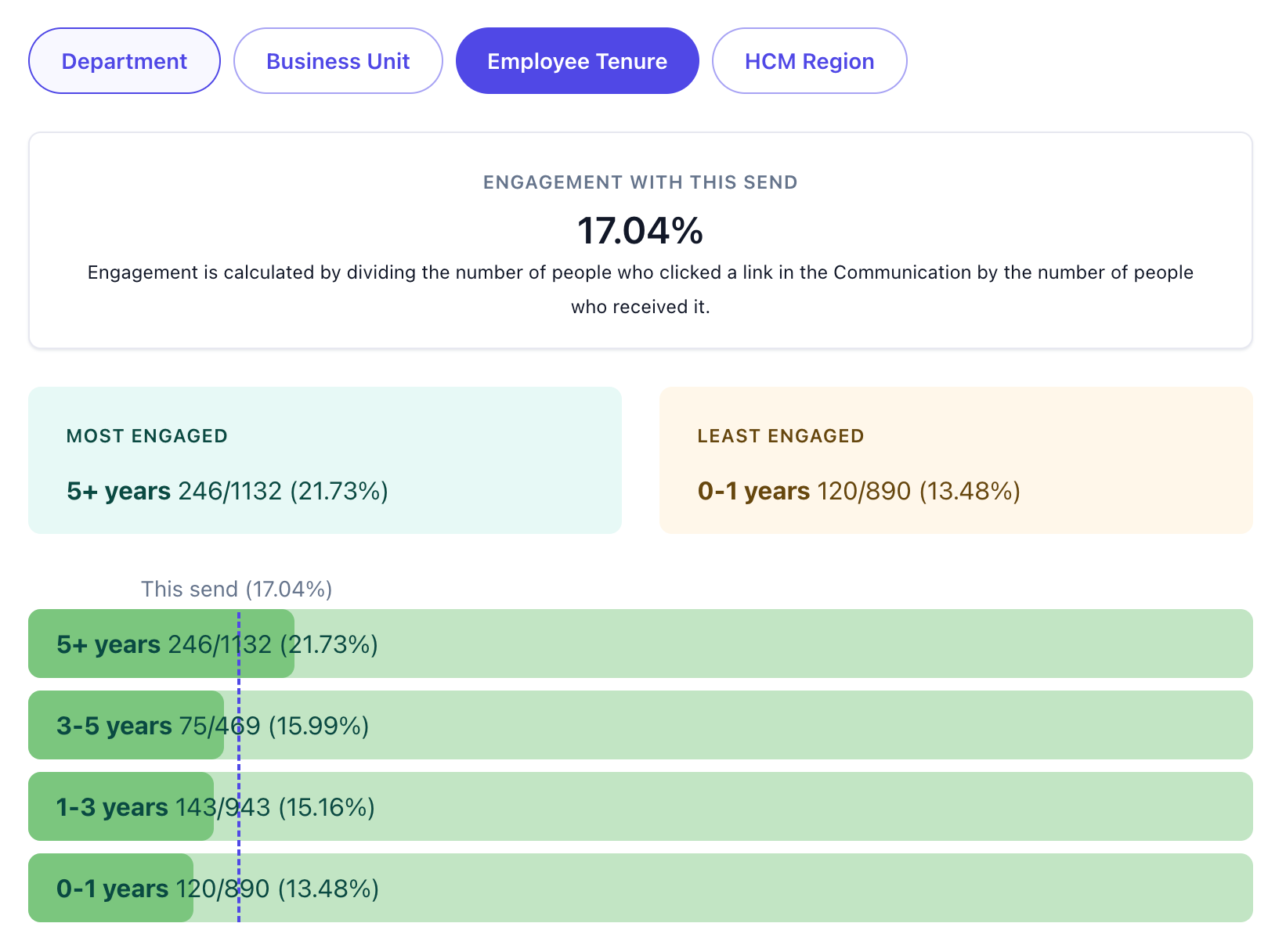
Once you've discovered an insight, it's easy to dig deeper with the new Engagement Breakdown.

Available from your communication analytics, Engagement Breakdown visualizes engagement across any employee attribute synced from your HRIS, including department, location, tenure, and more. It's a simple way to understand how different audiences responded and identify trends that might otherwise go unnoticed.

Together, AI Insights and Engagement Breakdown help you move beyond overall engagement and understand exactly which groups are connecting with your communications.

Reach employees with WhatsApp

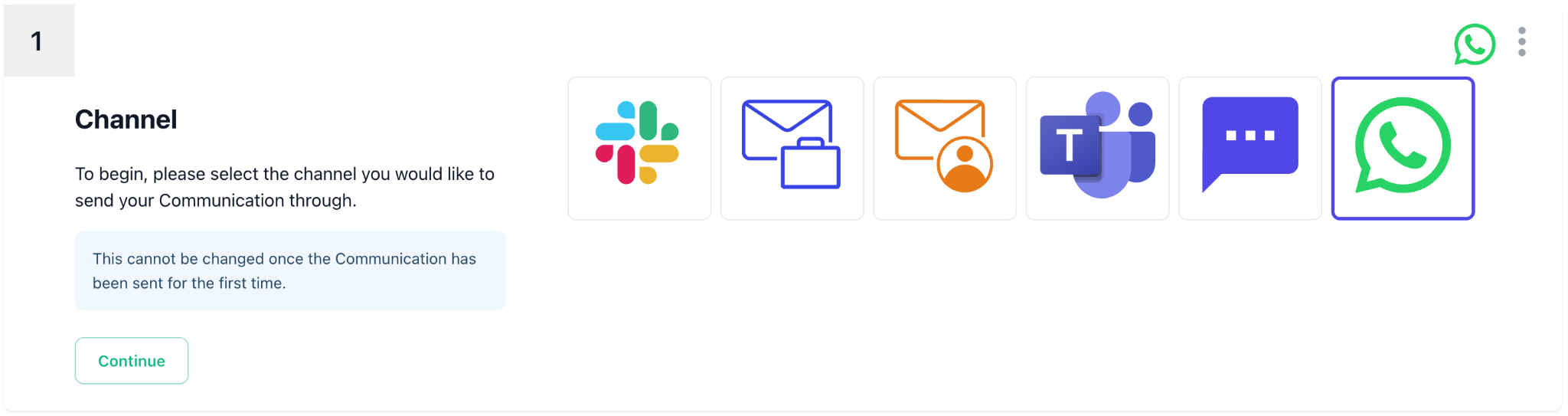
WhatsApp is now available as a communication channel, giving you another way to reach employees where SMS may be difficult, restricted, or less practical. You can create, schedule, and send outbound WhatsApp communications using the same familiar communication workflow, with link-click tracking included.

WhatsApp is available as an add-on module. Contact your CSM if you'd like to get it enabled for your account.

Generate stronger subject lines with AI

Stuck on the subject line? You can now generate AI-powered subject line suggestions based on the content of your message, your Company Information, and the writing tones configured under Your Brand.

Preview suggestions, move through alternatives, and choose the one that works best. Subject line generation is available to everyone for both email communications and newsletter communications.

Make newsletters more interactive with polls

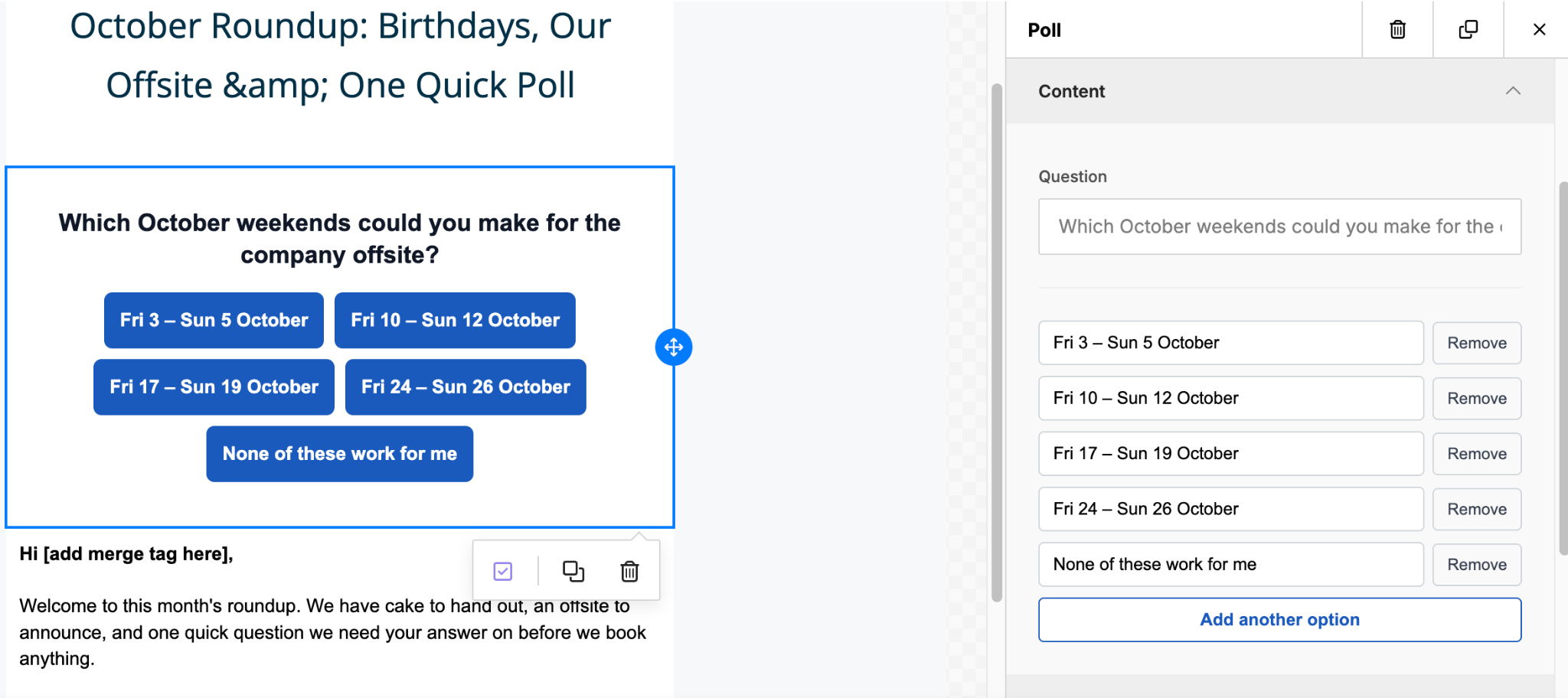
You can now add polls directly to newsletter communications, making it easy to gather quick feedback without sending employees to a separate survey.

Add multiple response options, style your poll to match the rest of your newsletter, and track responses using the existing link tracking flow.

Open this note on its own page
NewPhoto of Luke FergusonLuke Ferguson

May 2026

This month’s update builds on some of our most impactful features, making Follow Ups more powerful, improving AI-generated content with company context, and introducing new ways to review and confidently publish your communication

Communications

Follow Ups (now available in all accounts)

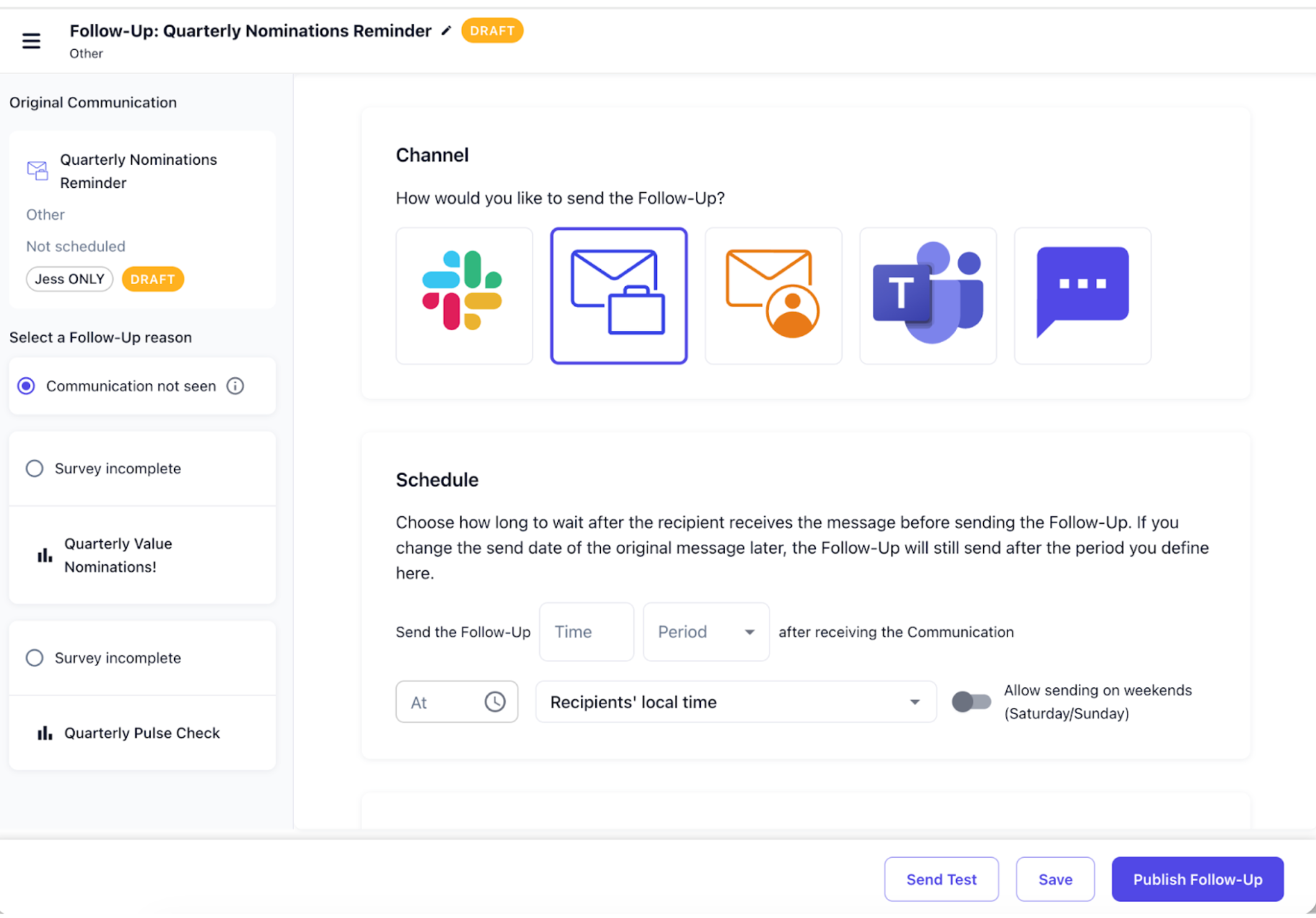
Follow Ups are now available in all accounts, so every team can automatically reach non-responders without manual work.

You can now create Follow Ups for any communication and schedule them to send days or weeks after the original message. Follow Ups can target employees who did not engage or did not complete a survey, and you can still send them through a different channel, such as following up an email with a Slack or Teams message.

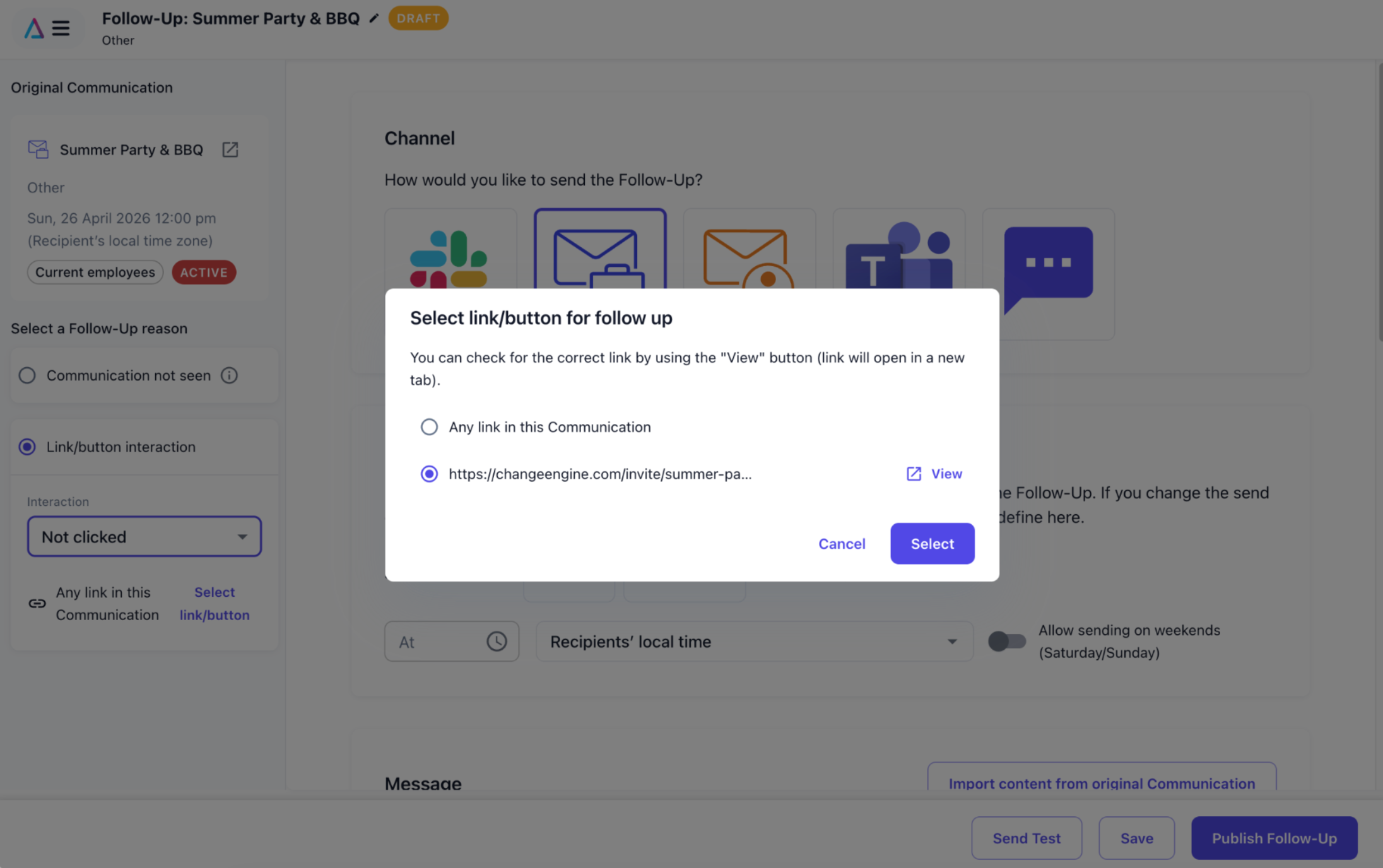
We’ve also made Follow Ups more flexible. You can now import content directly from the original communication, making it faster to reuse and refine your message. In addition, there’s a new follow up reason based on link engagement, allowing you to target people who did or did not click a link for more precise follow ups.

Review & Publish

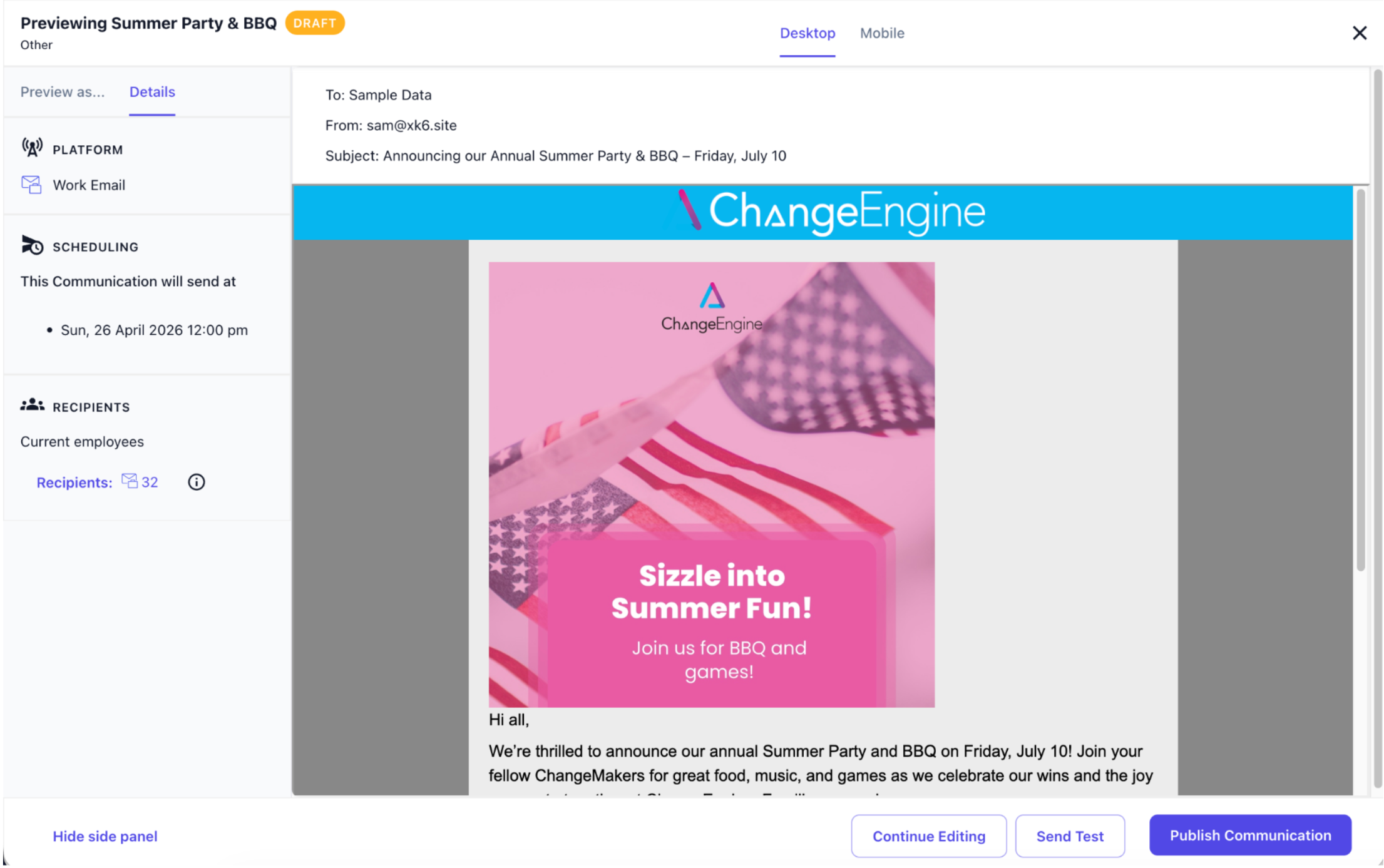
Publishing a communication can feel high stakes, especially when you’re sending to large audiences. The new Review and Publish step gives you a clear way to double-check everything before you hit send.

You can preview recipients, timing, and content in one place, and also preview messages as an employee to test merge tags and dynamic content. It’s a simple way to catch issues early and feel confident that everything is set up correctly before sending.

Company Information For Smarter AI

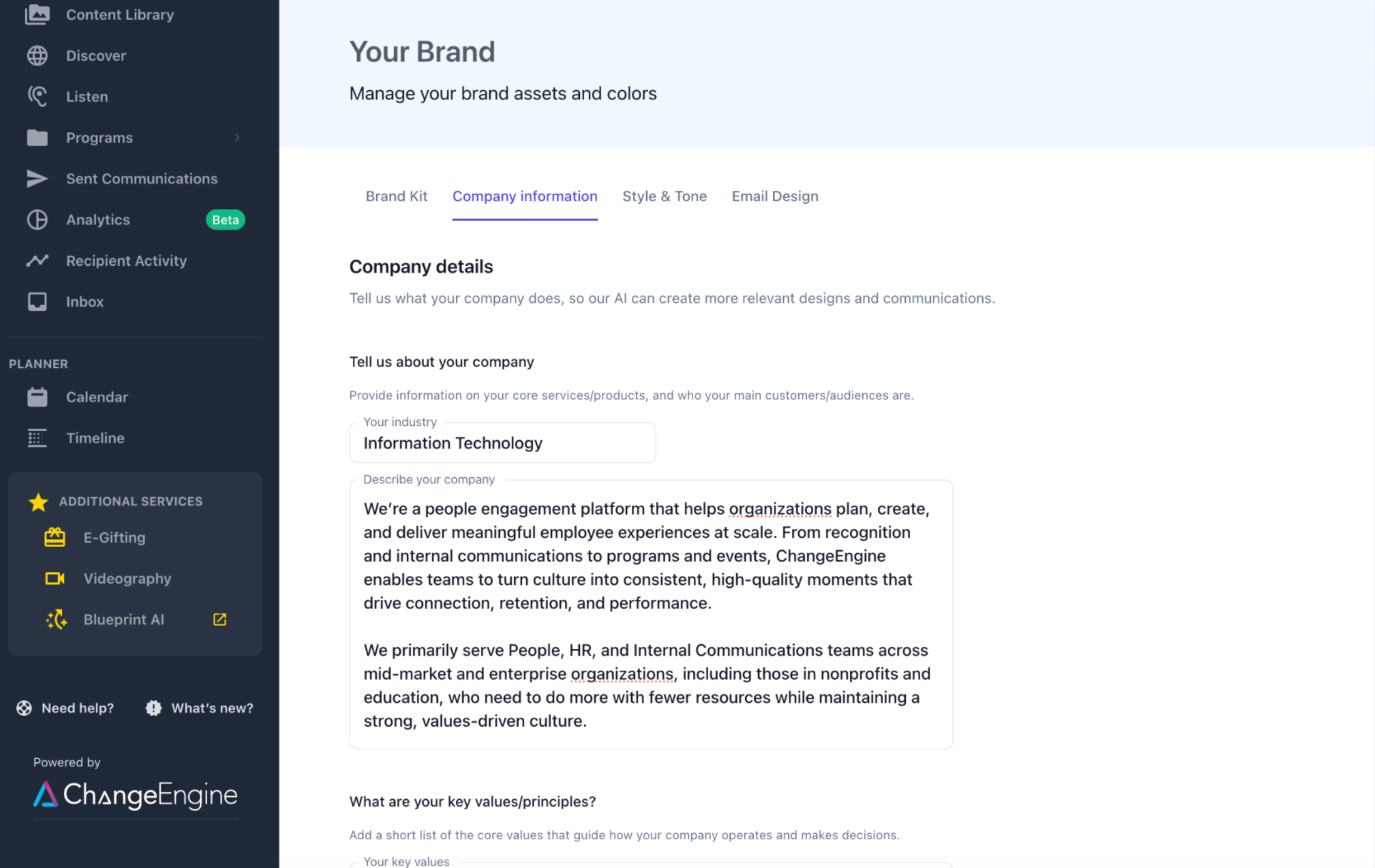
AI-generated content just got a lot more relevant. You can now add key details about your organization in Your Brand → Company information, including your industry, company description, values, and how you refer to your team.

We use this context automatically across AI features, so your communications, SMS suggestions, and generated content feel more aligned to your company. It’s a quick setup that leads to more relevant drafts and less editing.

KnowledgeHub (early access)

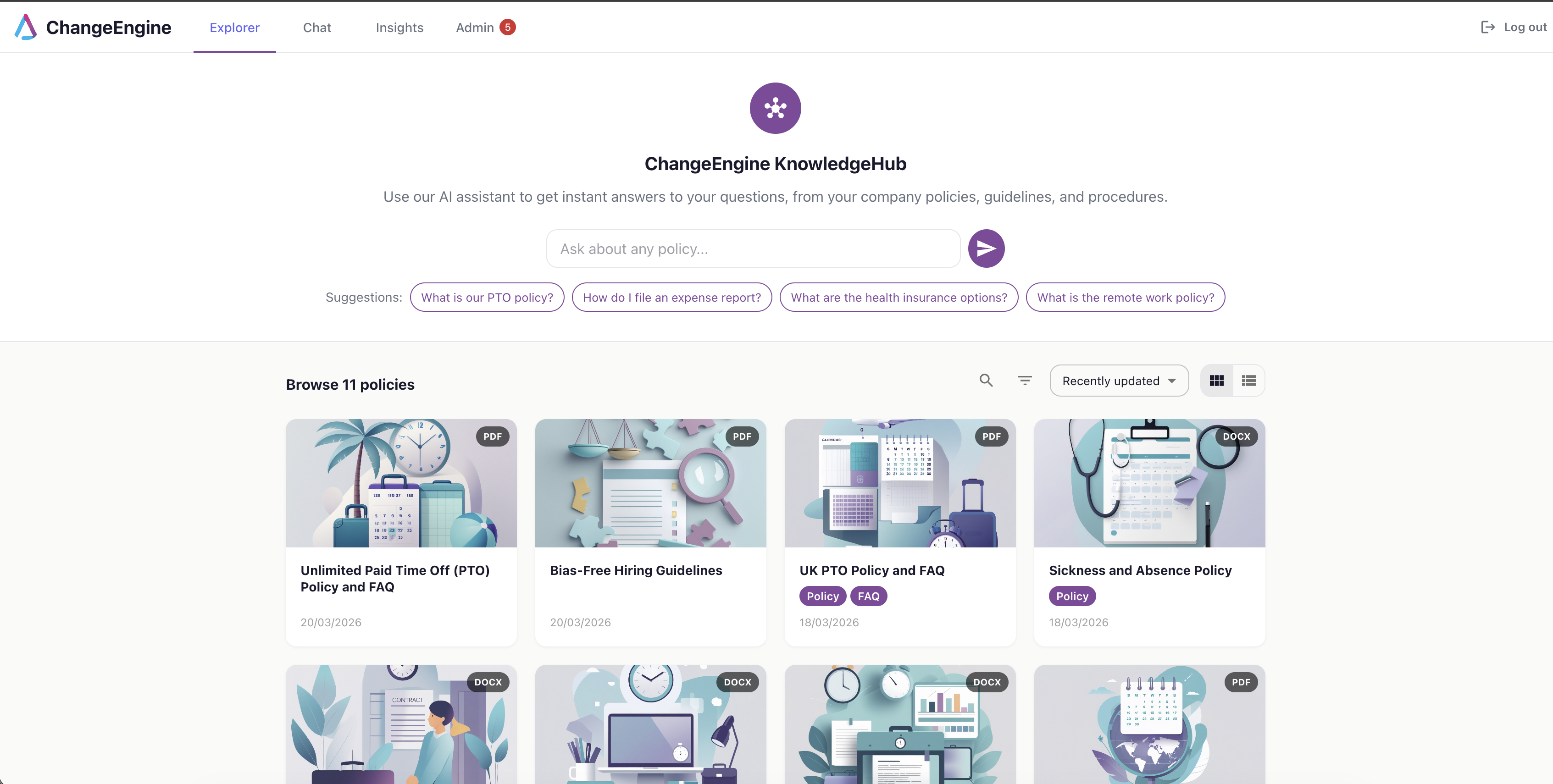
We’re introducing KnowledgeHub, an internal knowledge assistant designed to help handle first-line HR enquiries.

Employees can access KnowledgeHub through a web app to ask questions about policies and processes. HR teams can upload documentation, and the AI will answer questions based on that content, escalating when it cannot confidently respond.

We’re looking for early partners to help shape this. If you’re interested, reach out to your CSM.

Two-Way SMS

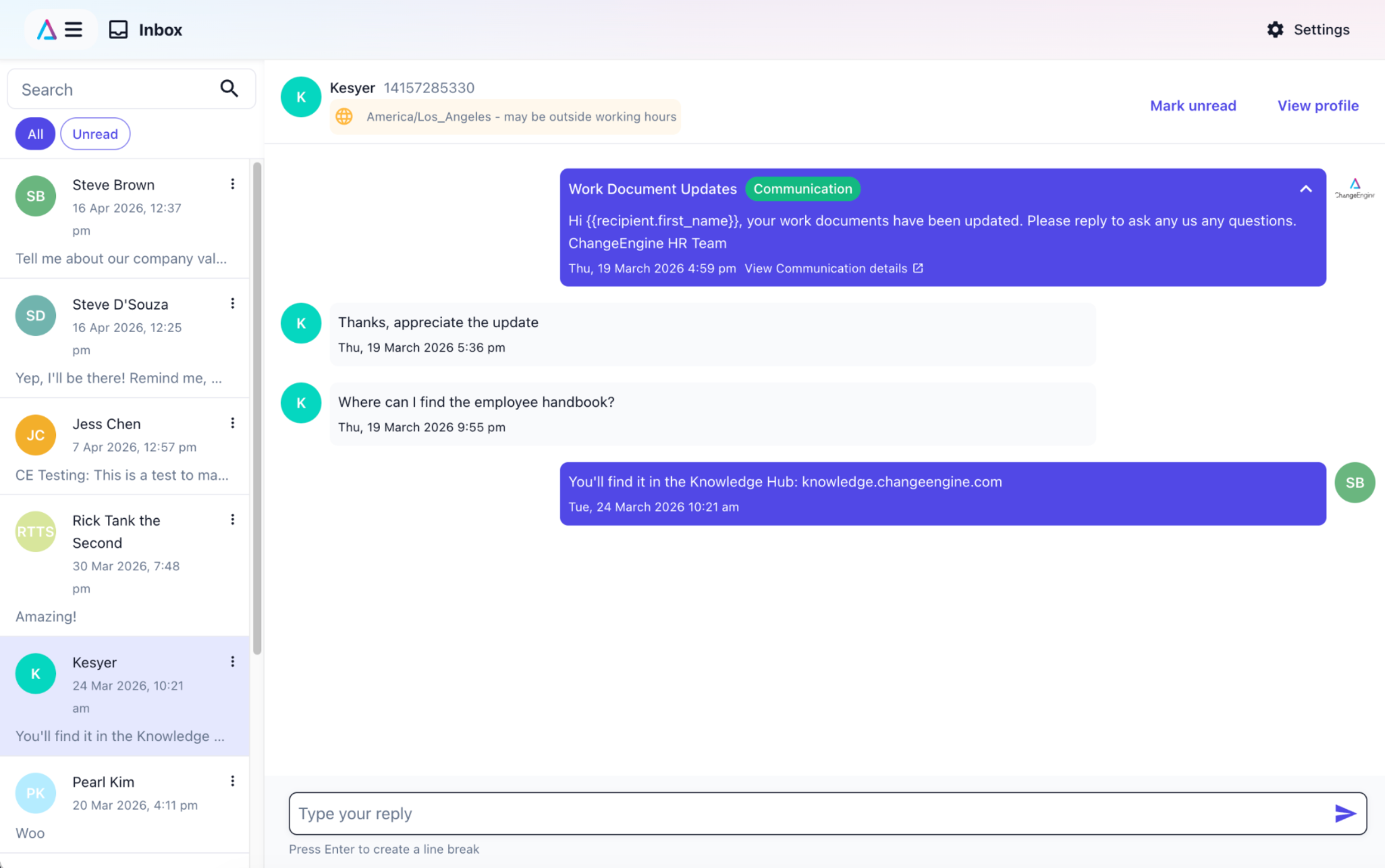
Two-way SMS is now available, giving employees the ability to reply directly to SMS messages.

HR teams can manage and respond to conversations through a shared inbox, with AI-suggested replies to help speed up responses. This is currently available for US-based messaging.

Contact your CSM to get it added to your plan.

Open this note on its own page
NewPhoto of Luke FergusonLuke Ferguson

February 2026

We’re excited to share this month’s updates, focused on helping HR and People teams boost engagement, reduce manual work, and get clearer insight from surveys.

CommunicationsAnalyticsListenMFAI

Follow Ups

Following up with non-responders just got a whole lot easier. You can now create Follow Ups to automatically target people who didn’t engage with a communication or did not complete a survey, without exporting lists or building new segments manually.

Follow ups can be created reactively after a communication has been sent, or proactively by scheduling them to send X days or weeks after the original communication. You can also send the follow up via a different channel, such as sending the original communication via email and following up via Slack or Teams.

Check out this video from our Product Manager, Luke, where he explains how to create Follow Ups and get the best from them!

Follow Ups are available for early access - this means some minor things might not work as expected, but you’ll get the opportunity to help shape how the feature works.  If you’re ready to try it, talk to your CSM to get it enabled in your account!

Newsletter editor improvements

If newsletters are your primary way of communicating with employees, this update is for you. We’ve made the newsletter editor significantly more powerful and flexible, so you can create richer communications faster, reuse existing assets, and personalize content without creating multiple versions.

You can now:

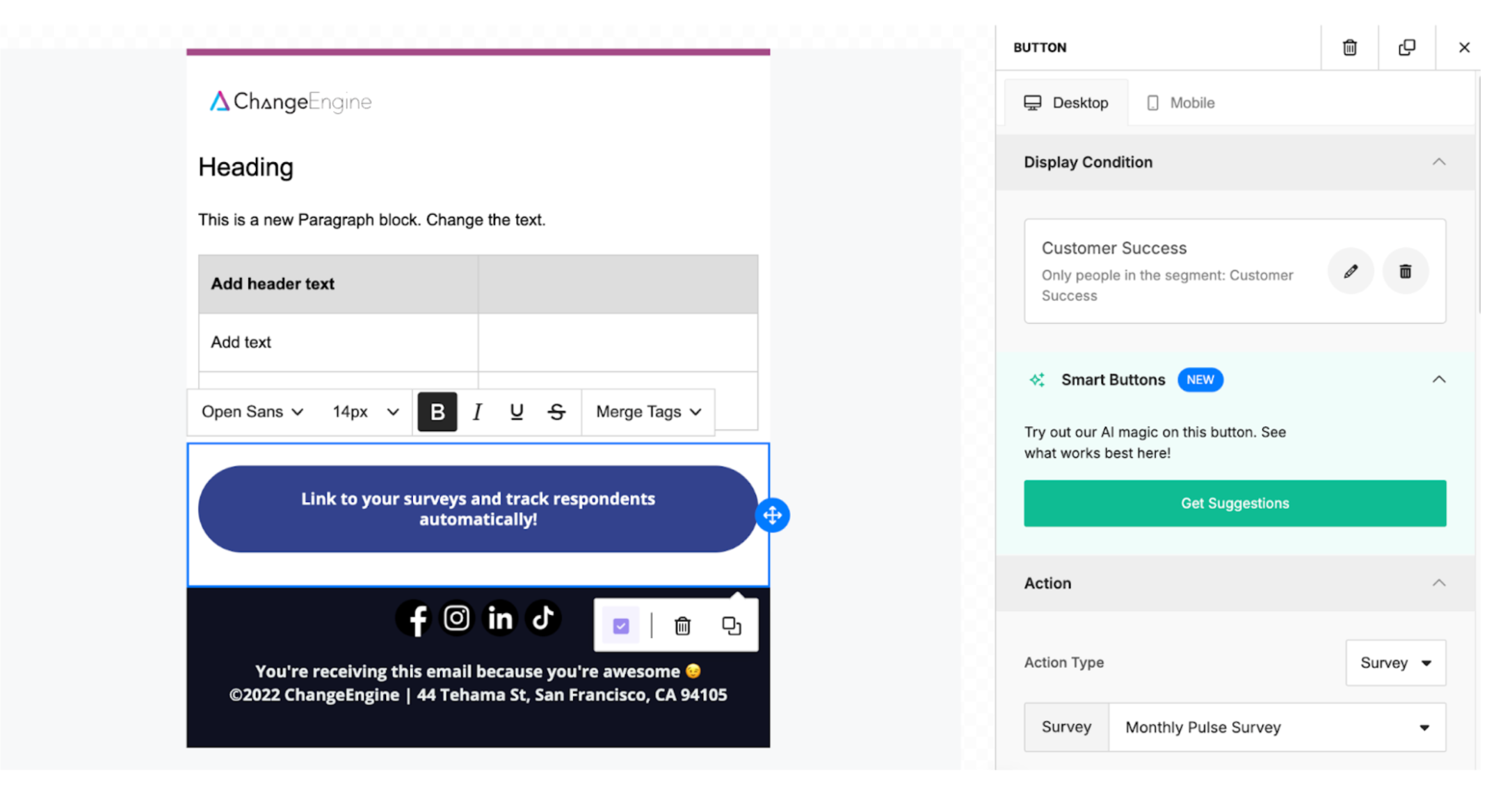
  • Add survey links using button blocks, making it easier for employees to take action directly from the newsletter

  • Insert images directly from the Content Library, so you can reuse approved assets without leaving the editor.

  • Apply display conditions at the block level, which lets you show specific sections of a newsletter only to the segments you choose.

  • Add Social Media links so your employees can easily find your organization's online presence.

Survey Response Groups

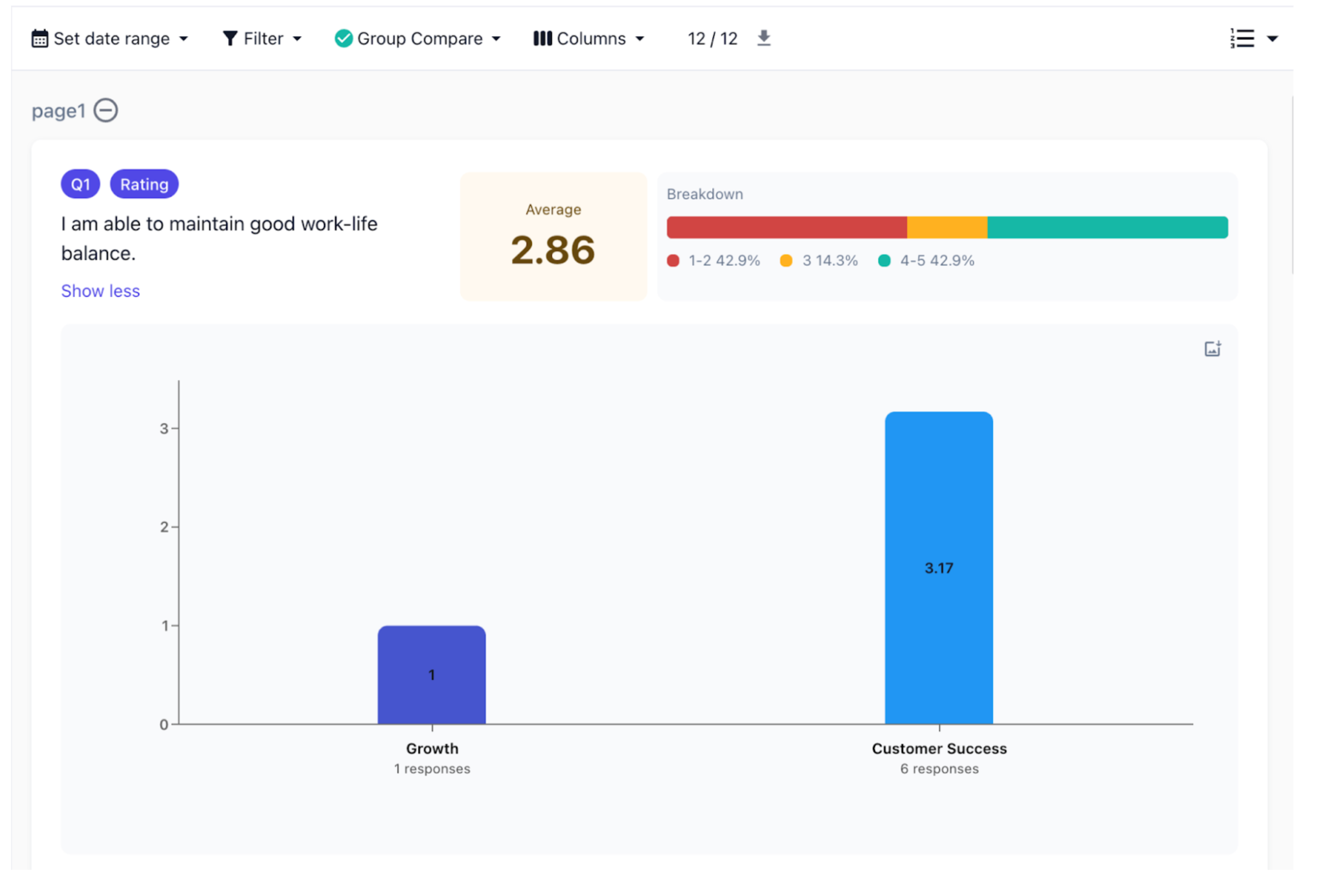
Ever wonder whether a specific department, location, or employee group is driving your survey results? Overall scores are useful, but they can hide important differences across the organization.

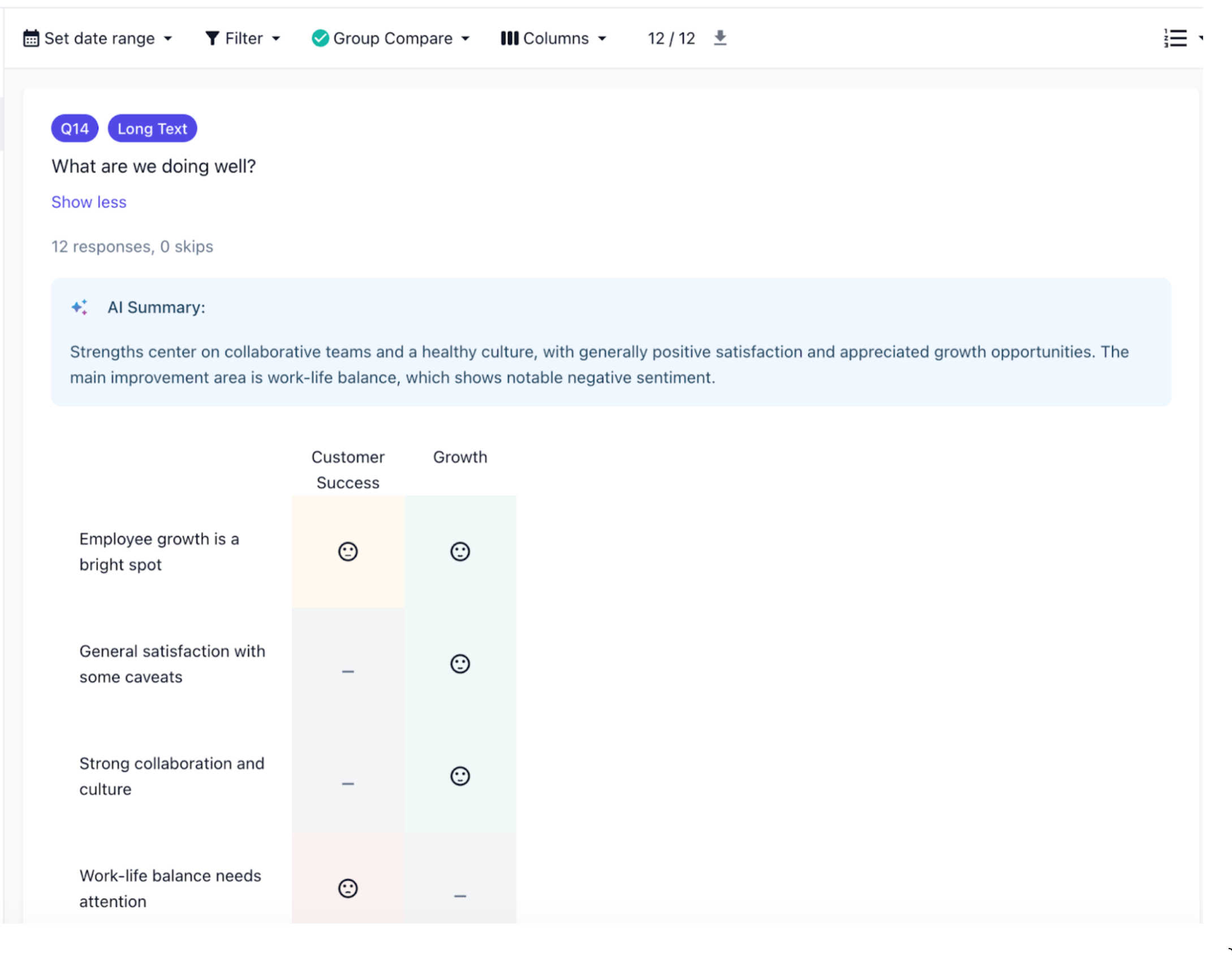
That’s why we built Survey Response Groups. You can now break down survey responses into meaningful groups and compare results side-by-side, so you can quickly spot patterns and understand what’s really happening across different teams. Groups are created using filters based on any fields already synced from your HRIS, and you can compare multiple groups at once. This works across all surveys.

Keep in mind, if employees complete a survey via a generic link or QR code, they may be excluded from groups unless you add identifier questions so respondents can provide their details.

Content Library Folders

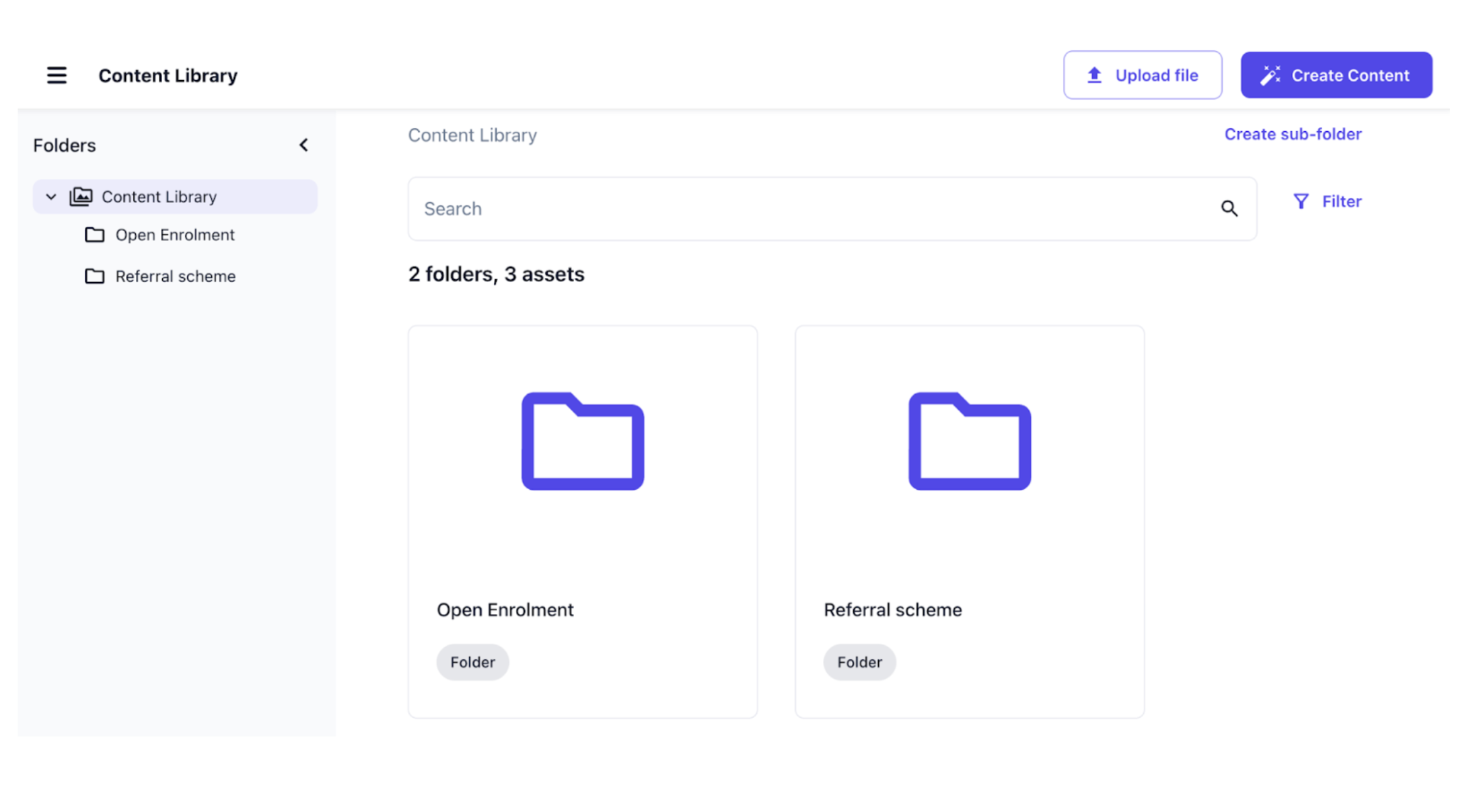
Your Content Library just got a big usability upgrade. You can now use folders to organize images and AI-generated content, so everything stays clean and easy to find as your library grows. The Content Library now includes a folder navigation sidebar, making it simple to browse and manage content.

At this time, folders are for organization only. There are no permissions or role-based access controls available yet, which means all content remains visible to everyone who has access to the Content Library, regardless of how it’s organized. Support for permissions is on our roadmap.

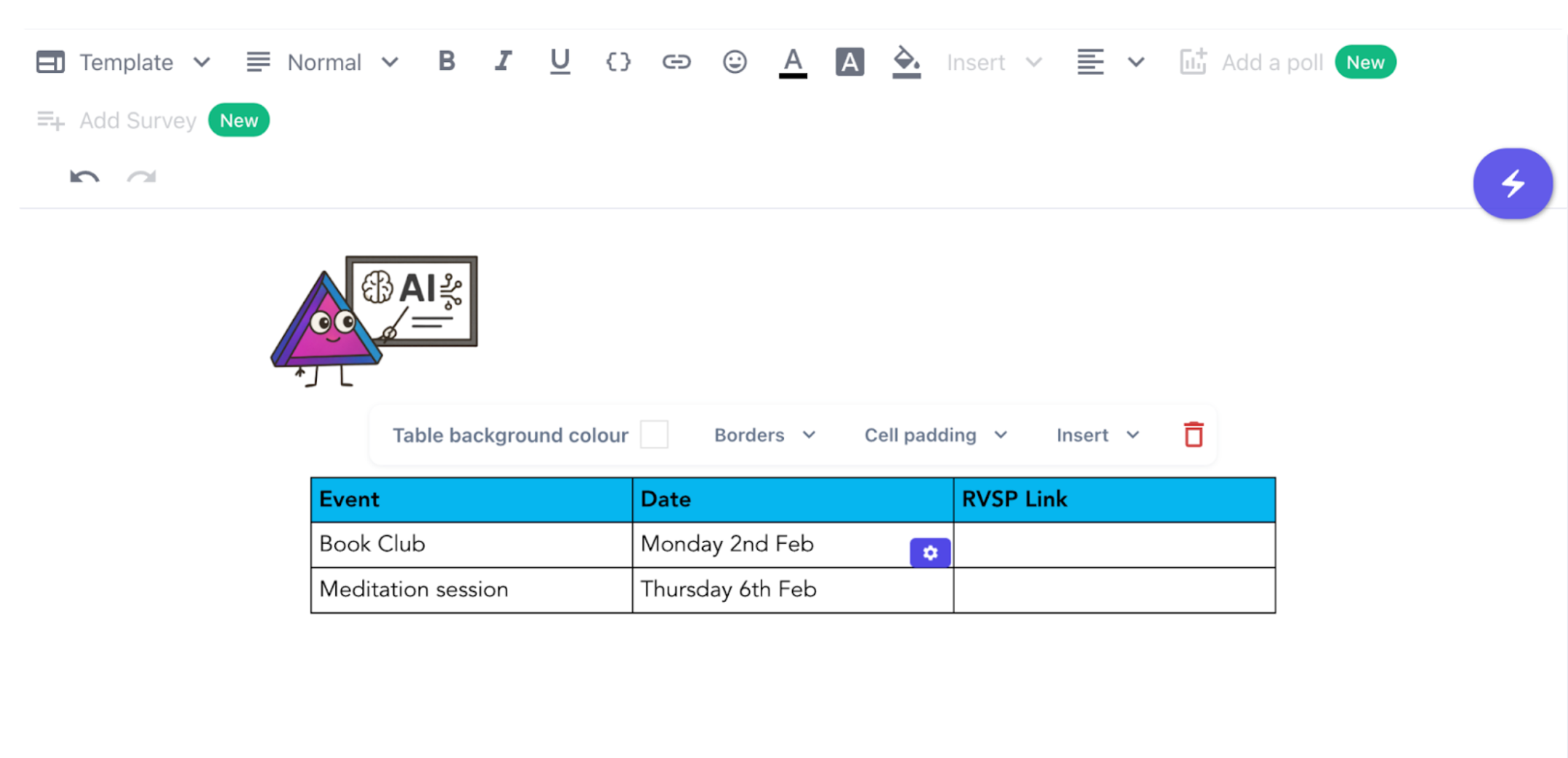
Easily add tabular data to your communications

You can now add tables in both the communications editor and the newsletter editor. This makes it easier to share structured information clearly and professionally.

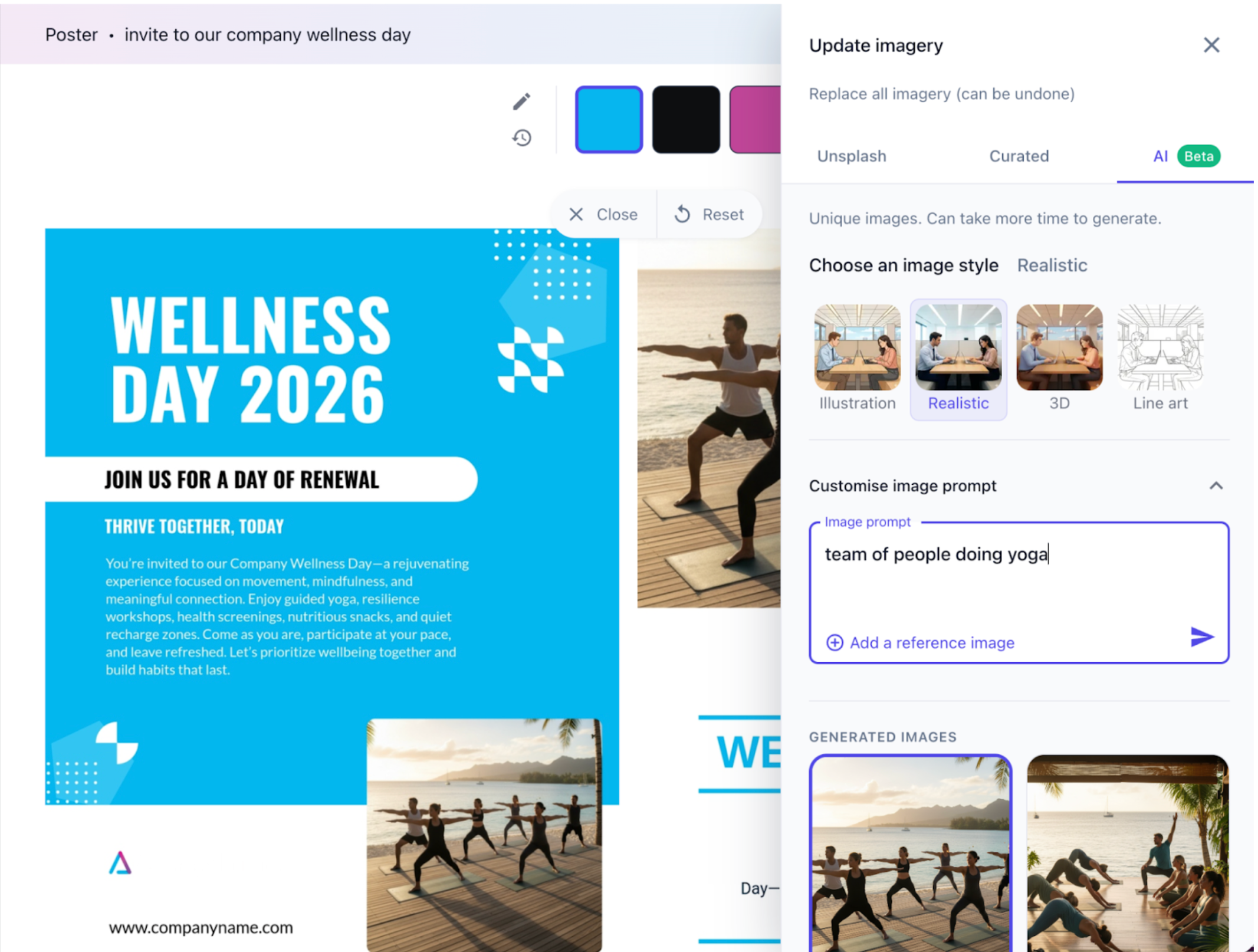
More relevant images for your content

When creating content, you can now use AI to generate custom images to give your content a unique touch.

You can pick from different styles and prompt the AI with instructions to create exactly what you need. Just select the new Update imagery button when creating a new piece of content to access it!

Open this note on its own page